What is the Optional Report and why would I use it?
The Optional Report (OR) may be used at any point in the academic year to submit updated grades and/or transcripts to colleges in Common App. The OR can also be used to correct any errors previously submitted. It should not be used as a substitute for the Mid Year or Final Report and can only be submitted once an application year. The OR will be available to all colleges in Common App once it is submitted.
How to I complete & send an Optional Report for a student?
- From your educator account, navigate to the student's page for whom you are adding an Optional Report.

- Click on the student's Application Manager tab, click on the application for any Common App college, then select 'Application Details'

- Scroll down to the documents table and click 'Attach a Document'.

- Select 'Optional Report' and click 'Attach or Request'.
 If the student's School Report has not been sent to Common App, the Optional Report will not be available to attach to an application. Rather than completing an Optional Report, counselors should edit the School Report from the Application Manager.
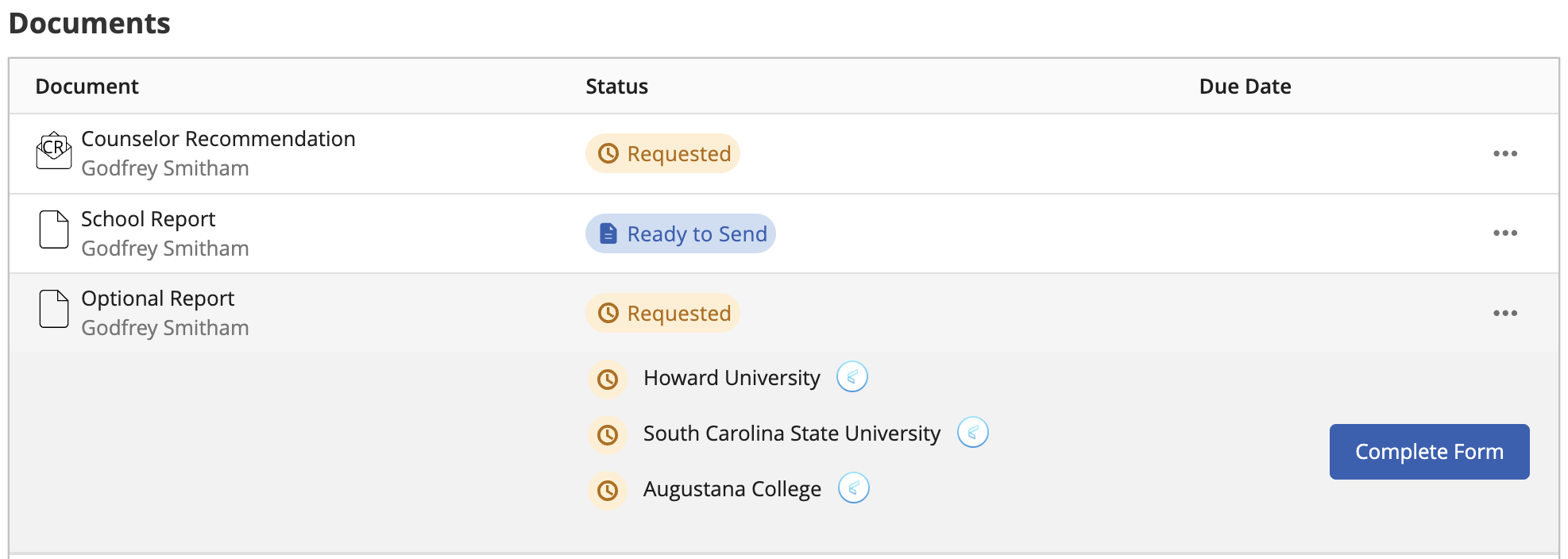
 - You should now see the Optional Report in the Application Documents table with the status 'Requested'.
 The Optional Report will appear in the documents list for every Common App college and if it is removed from one application, it will be removed from all.
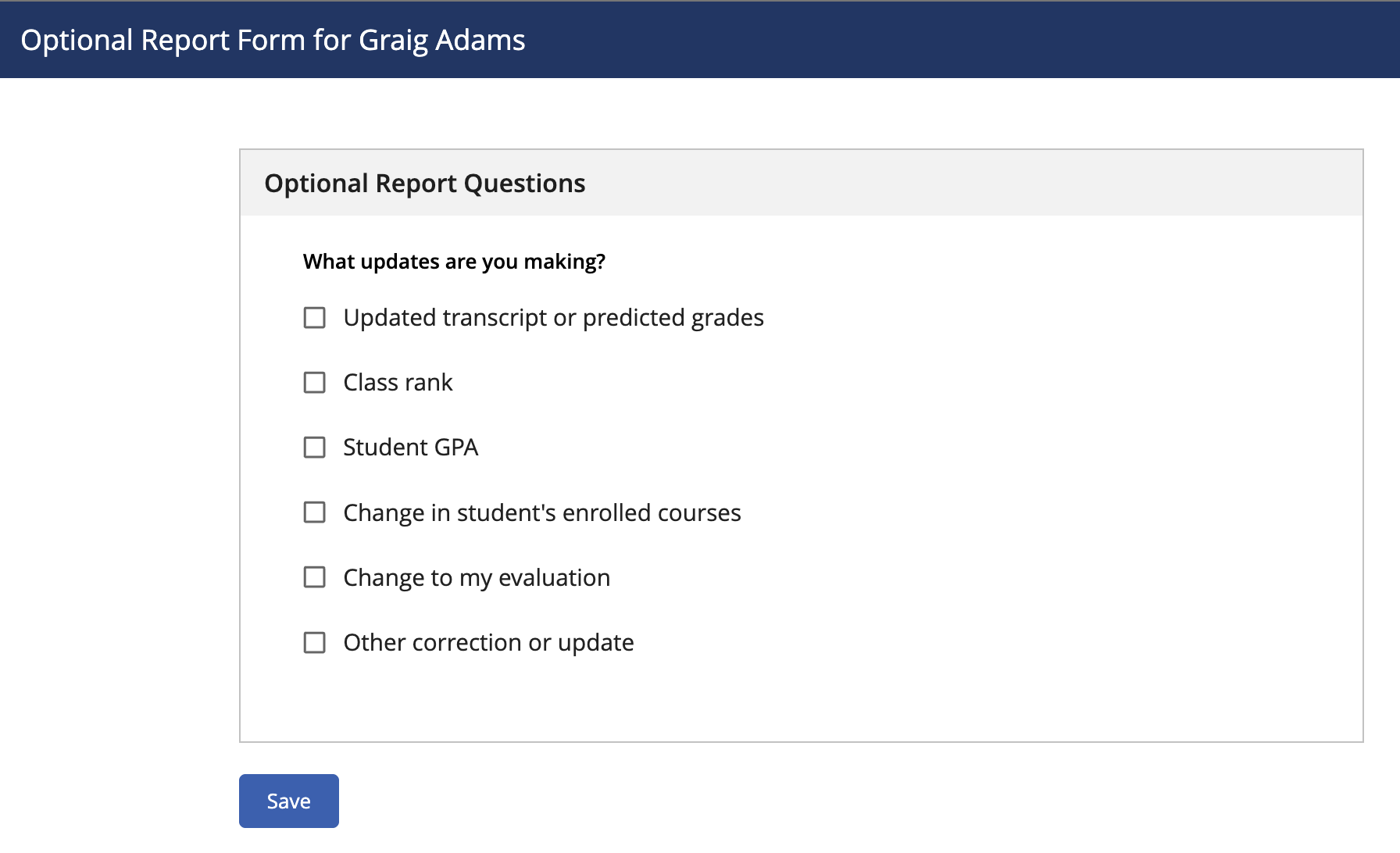
 - Go to the Documents section of the Application Manager and complete the Optional Report. You'll be given a set of options for the types of changes you might make. Select the option(s) that most closely reflects your change.
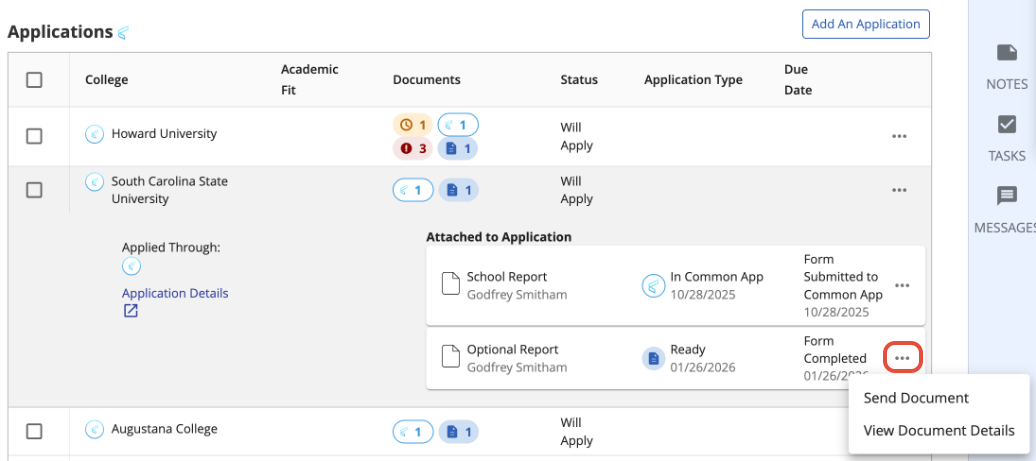
- To send the Optional Report, navigate to the Applications section of the Application Manager. Sending the Optional Report to any single Common App college will send it to all Common App colleges.
Was this article helpful?
That’s Great!
Thank you for your feedback
Sorry! We couldn't be helpful
Thank you for your feedback
Feedback sent
We appreciate your effort and will try to fix the article