This guide is for students who would like to sign up for an account and start using Overgrad. There are two ways to get access.
1. My school made my account
Many schools and organization that use Overgrad choose to create accounts for their students. If your school chooses to do this, you will receive an email from Overgrad with instructions about how to log in. Simply follow the instructions in the email, create your password, and enter the final pieces of information to complete the sign-up process.
2. I want to make my own account.
- First, make sure that you do not already have an account that was created for you by your school. Go to overgrad.com/login and try Signing in with Google using your school email address. If an account does not already exist, follow the steps below to create a new account.
- Visit overgrad.com/join.
- Select Student from the dropdown menu, and choose if you would like to Sign up with Google or with an email address. We recommend selecting Sign up with Google if possible.
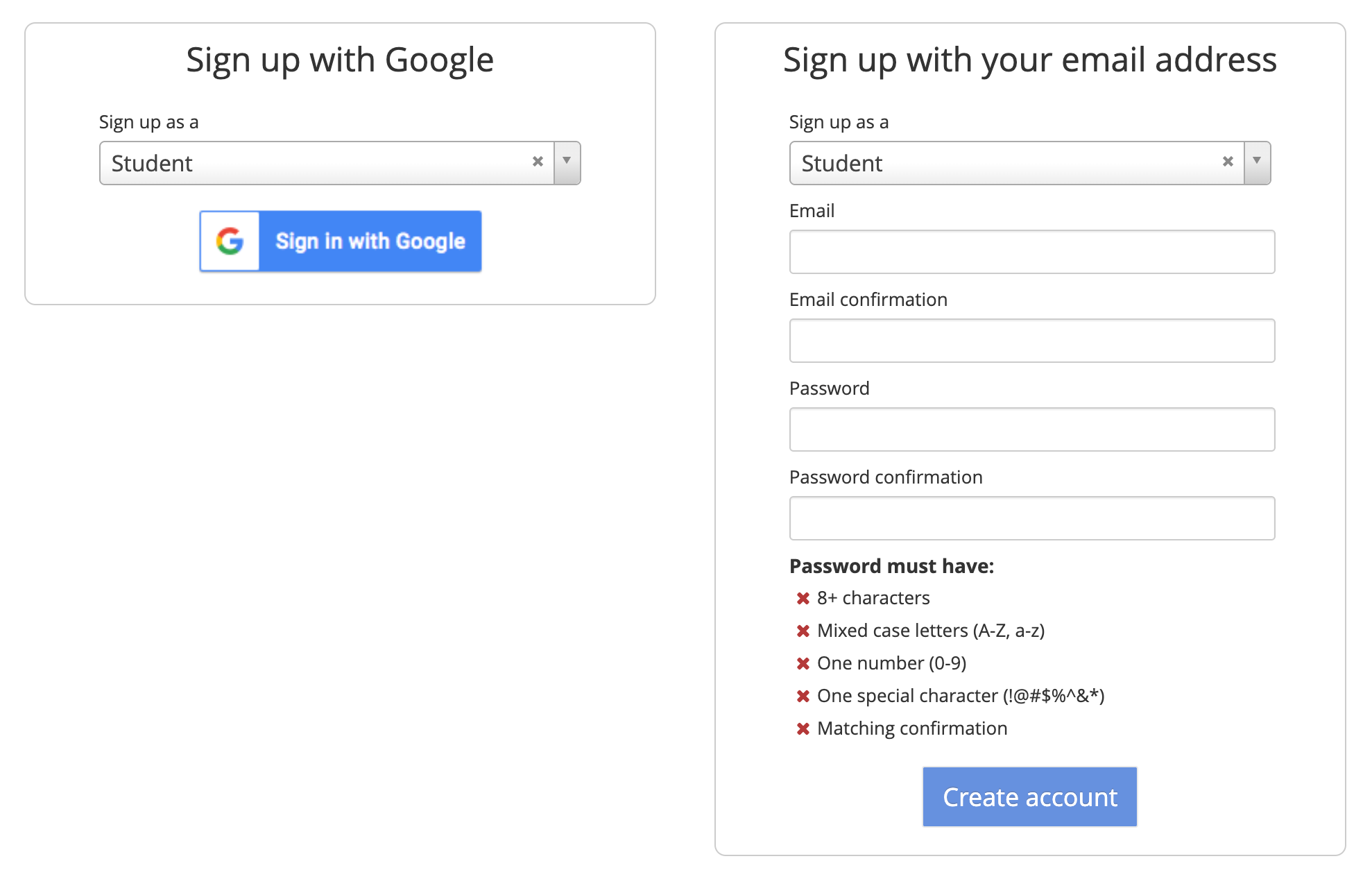
- Read and accept Overgrad's Terms of Use and Privacy Policy.
- Type the name of your school and select it from the dropdown menu.
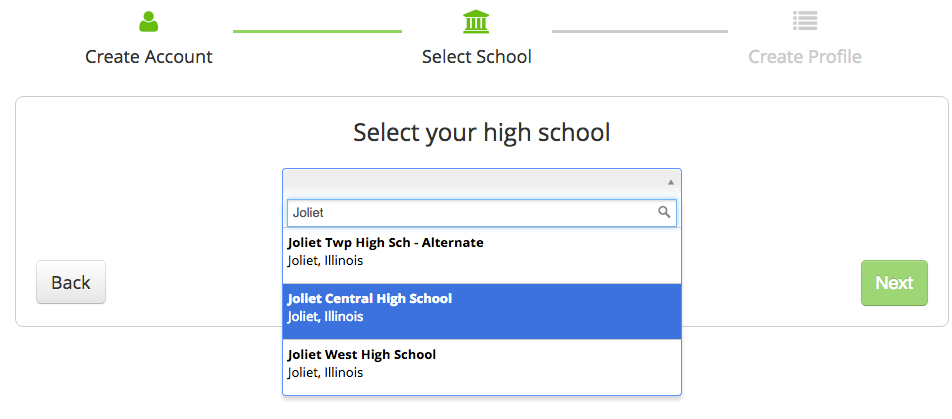
- If your school does not appear, click: Can't find your school? Let us know, and we'll add it.
- Some schools choose to not allow students to create their own accounts. If your school has prevented student registration, you will see a notice that says "Please contact school counselor to register."
- If you are able to select your high school, click next and enter the required information. Click "Finish" to finish creating your account.

Still need help? Contact the Overgrad support team at support@overgrad.com.
Was this article helpful?
That’s Great!
Thank you for your feedback
Sorry! We couldn't be helpful
Thank you for your feedback
Feedback sent
We appreciate your effort and will try to fix the article