Keeping track of your accomplishments and involvement is a key part of crafting a strong presentation of yourself to future universities, employers, and any other postsecondary opportunity you may pursue.
Overgrad offers a place for you to quickly and easily write down your various experiences over the years before you add them to your college applications or resumes.
Step 1: Log into your Overgrad Account
Step 2: Click your name and Profile in the upper right hand corner of the page.

Step 3: Scroll down to the section titled Extracurriculars and hit the pencil icon for the field you are trying to edit.
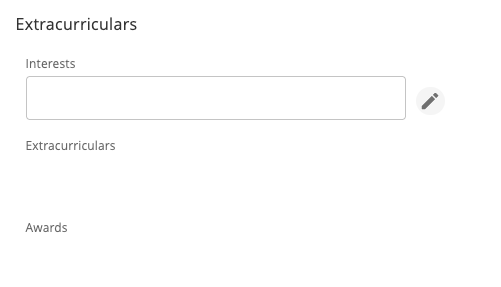
Step 4: Click the check mark to save any text you have entered.

Was this article helpful?
That’s Great!
Thank you for your feedback
Sorry! We couldn't be helpful
Thank you for your feedback
Feedback sent
We appreciate your effort and will try to fix the article