Note: Educators must have "Access to Student Data" to view and modify student profiles. Contact an Account Manager at your site to modify educator permissions.
- Go to any Student List to see your roster of students or search for a student in your student search bar.
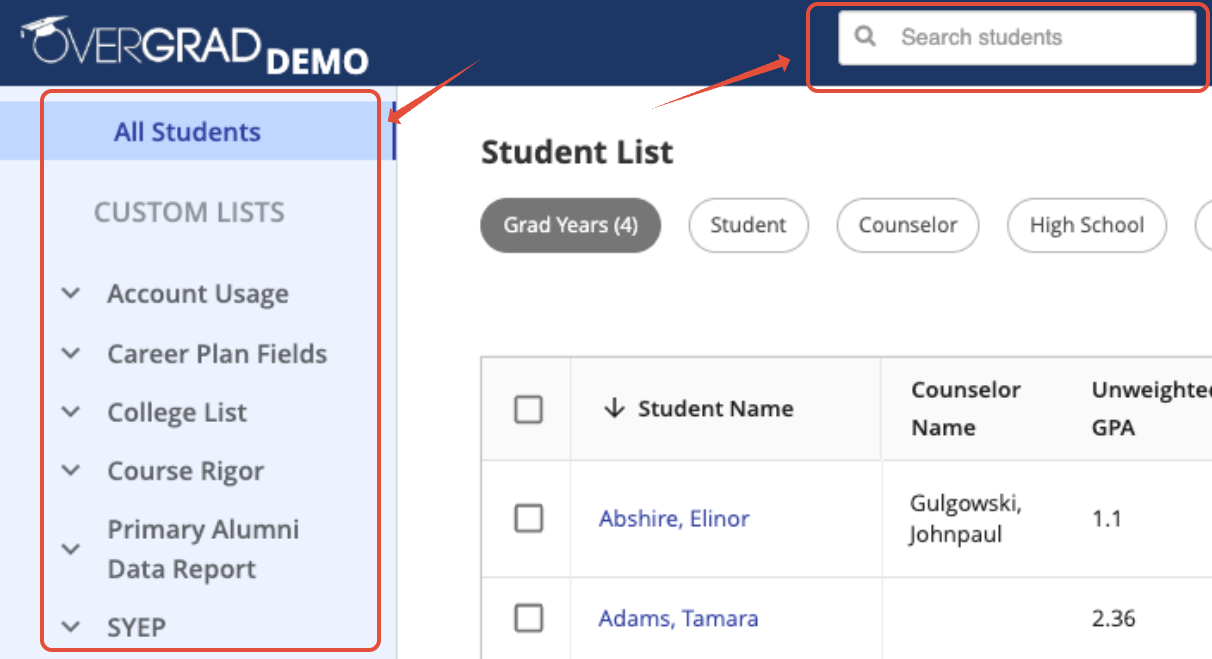
2. Edit the student:
Option 1: Click the ... at the end of the row on a student list → Select Edit Student Info.

Option 2: After clicking on a student's name or searching them in the search bar → Go to the Profile tab.
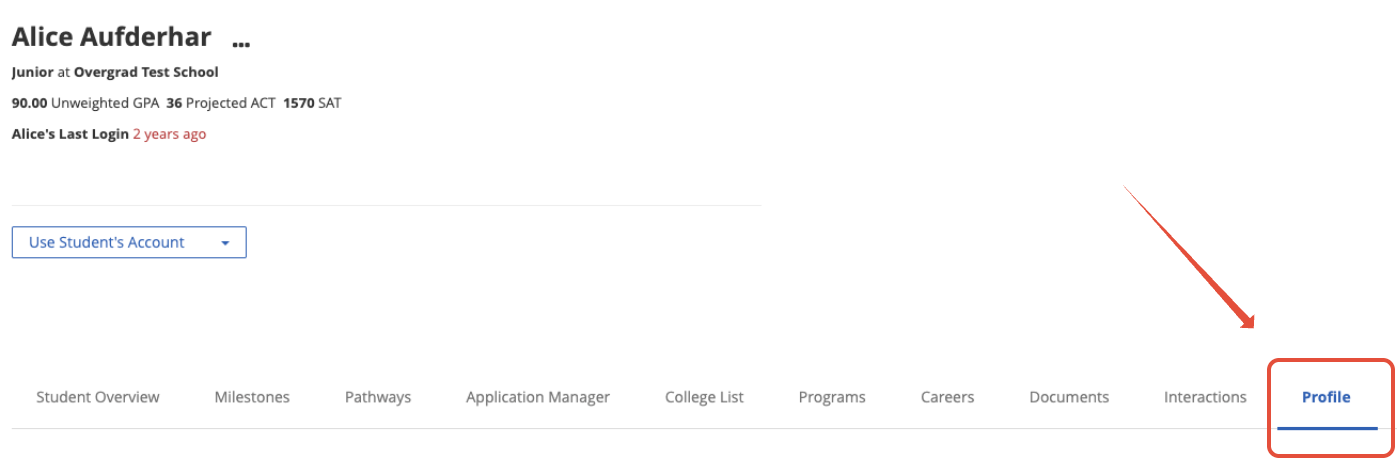
3. Hover over whichever field you wish to change and click the pencil icon.
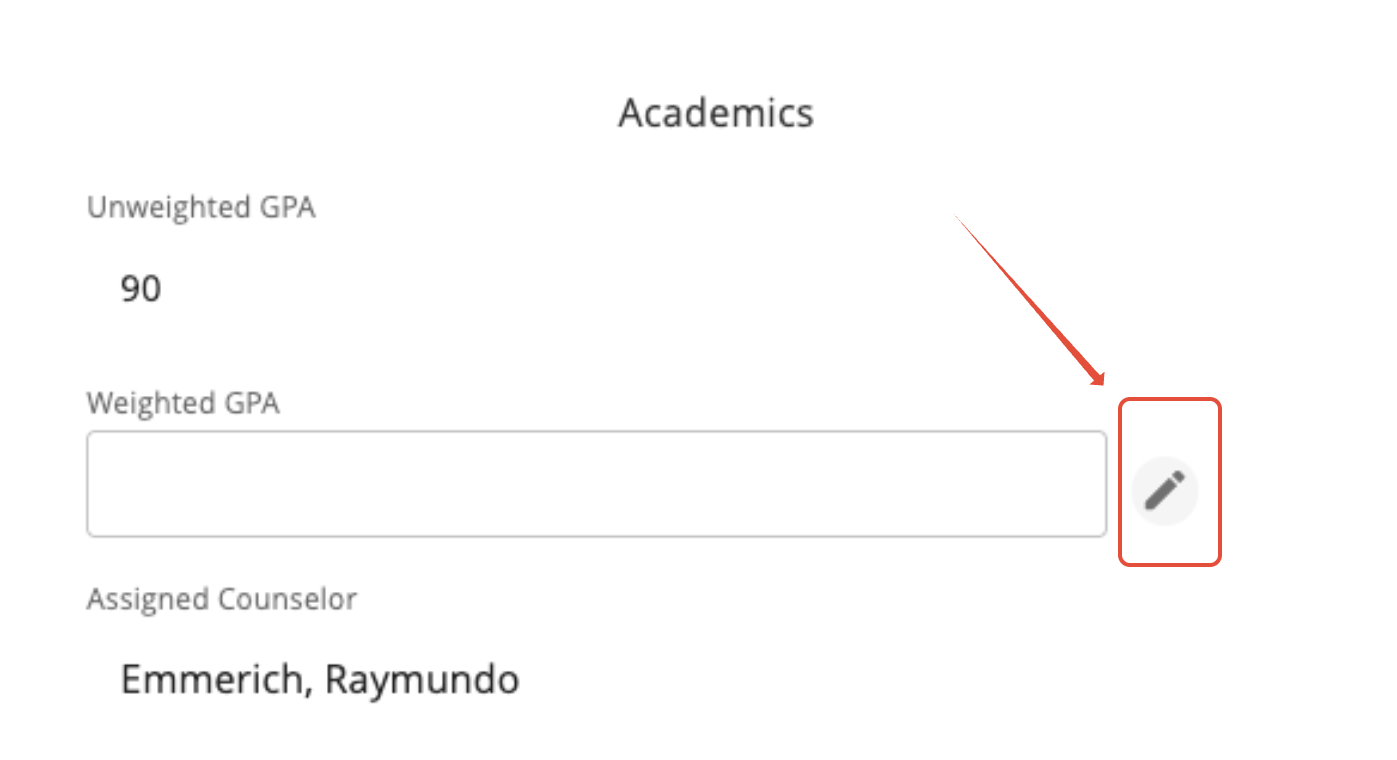
4. Hit the checkmark to save any changes or the X to cancel making changes.

Was this article helpful?
That’s Great!
Thank you for your feedback
Sorry! We couldn't be helpful
Thank you for your feedback
Feedback sent
We appreciate your effort and will try to fix the article