Overview
A midyear report sends colleges your first-semester senior year grades. Some colleges require one, and others don't. How you get one depends on how you're applying to each college:
- Common App colleges: you don't need to do anything. If the college requires a midyear report, Overgrad requests it for you automatically once first semester is over.
- All other colleges: you request the midyear report yourself in Overgrad, starting once your school's midyear grades are available.
Note: This is for seniors. You'll need to add the college to your applications in Overgrad first. See Adding and updating college applications. If you're applying through Common App, make sure you've also linked your Common App account to Overgrad.
TABLE OF CONTENTS
- Open the application
- If you're applying through Common App
- If you're not applying through Common App
- Optional reports
- Tracking your report
Step 1: Open the application
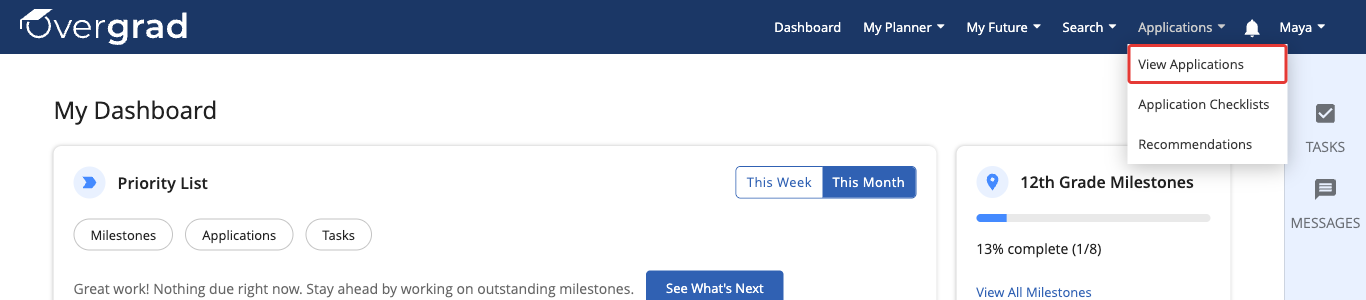
In the menu at the top of Overgrad, click Applications, then View Applications.
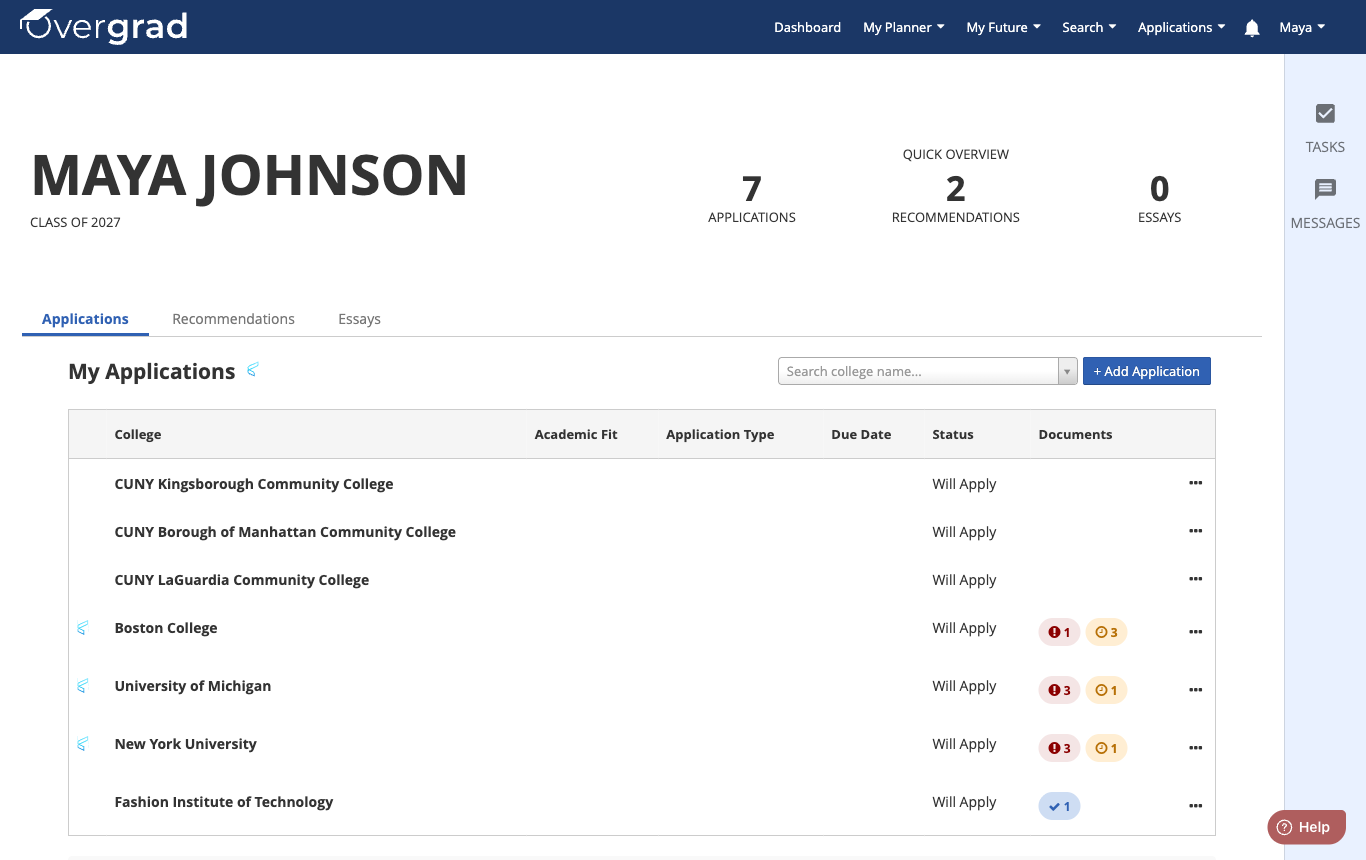
Click the name of the college you want to add a midyear report for.
If you're applying through Common App
You don't need to request a midyear report. Scroll down to Application Documents. If the college requires a midyear report, you'll see a Mid-Year Report row marked Required. Until first semester is over, its status says Will Request After Semester 1.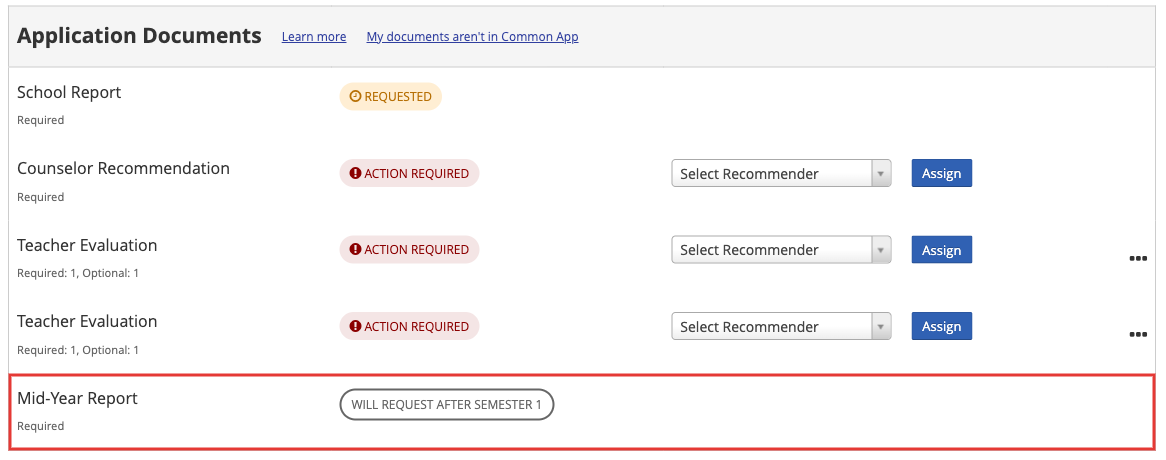
After first semester, Overgrad requests the midyear report for you, and its status changes to Requested. Your counselor takes it from there.
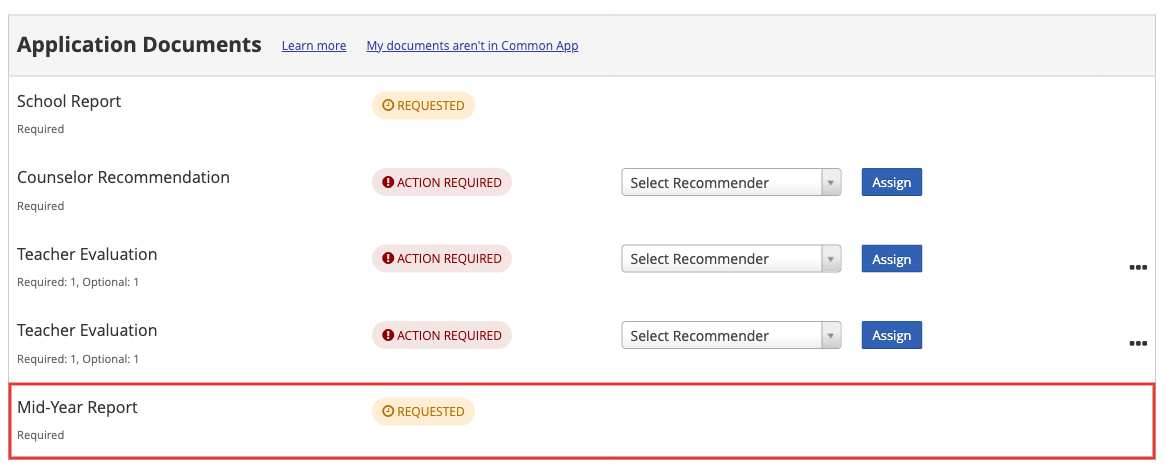
If there's no Mid-Year Report row, that college doesn't require one.
If you're not applying through Common App
You'll request the midyear report yourself. The Mid-Year Report option shows up once your school's midyear grades are available. That's December 15 at the latest, or earlier if your school has set an earlier date. If you don't see the option yet, check back after that date.
- Scroll down to Application Documents and click Attach a Document.

- Select Mid-Year Report, then click Attach or Request.
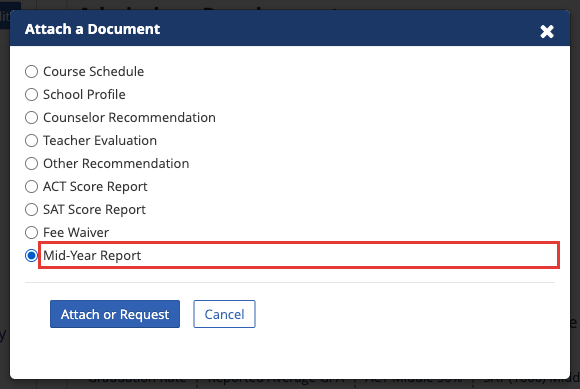
- The Mid-Year Report now appears under Application Documents with the status Requested. Your request has gone to your school's counseling office.

Your school may also be set up to add your midyear report request to your other non-Common App applications automatically.
Optional reports
Optional reports are only for Common App applications, and only your counselor can add one. If you think you need one, talk to your counselor.
Tracking your report
You can check the status of any document under Application Documents on the application. When a college downloads your documents through Overgrad, you'll also get an email letting you know.
Was this article helpful?
That’s Great!
Thank you for your feedback
Sorry! We couldn't be helpful
Thank you for your feedback
Feedback sent
We appreciate your effort and will try to fix the article