Overview
This article is for students who need to request a transcript through Overgrad. It covers how to submit a transcript request for a college application and how to track its status.
Using Common App? If you submitted your application through Common App, your transcript is automatically requested as part of the School Report — you don't need to submit a separate request.
Before you can request a transcript, you'll need to have already added the application to Overgrad. See this article for instructions.
TABLE OF CONTENTS
Submitting a Transcript Request
- Log into your Overgrad account.
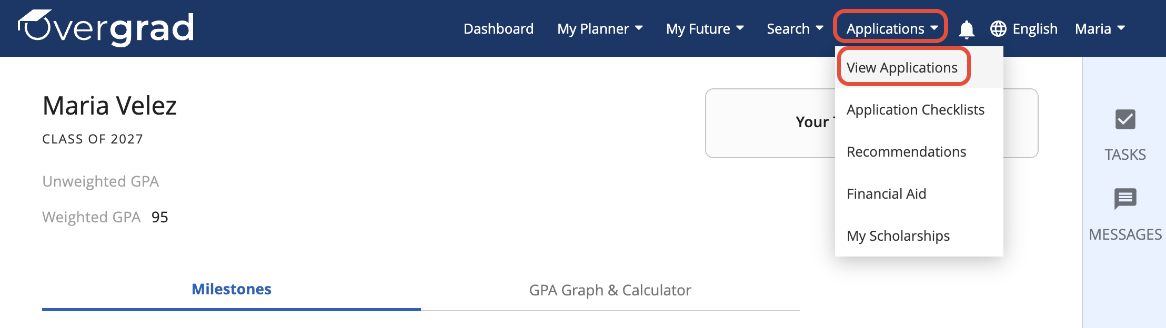
- Open the Applications dropdown in the header and select View Applications.
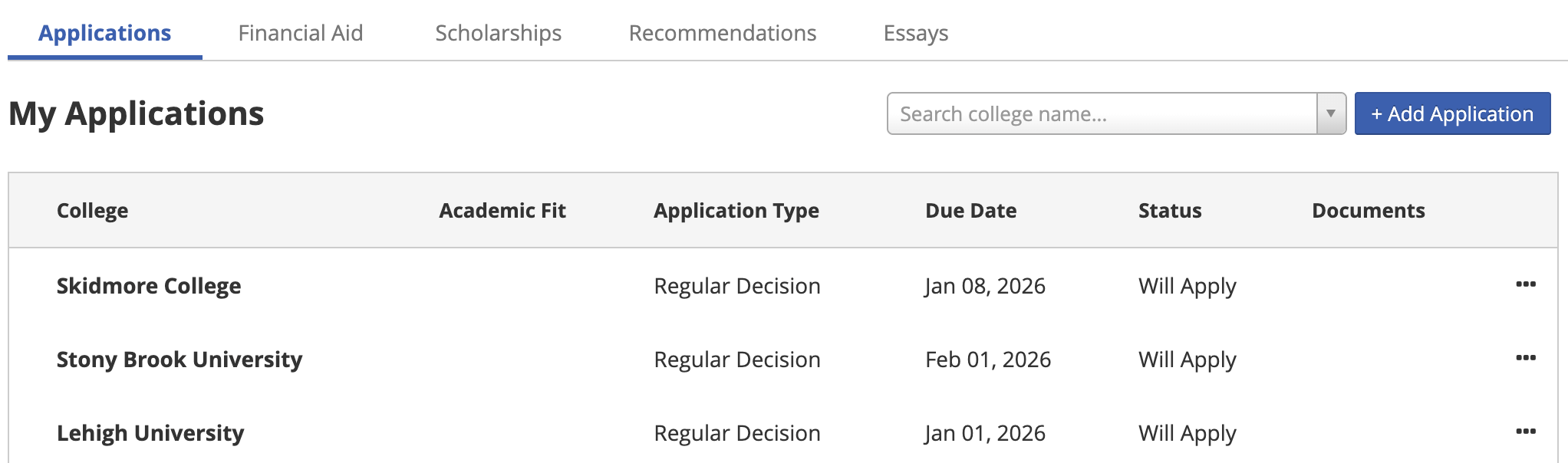
Click on a college's name to go to the Application Center page.
On this page, scroll down and select + Attach a Document.

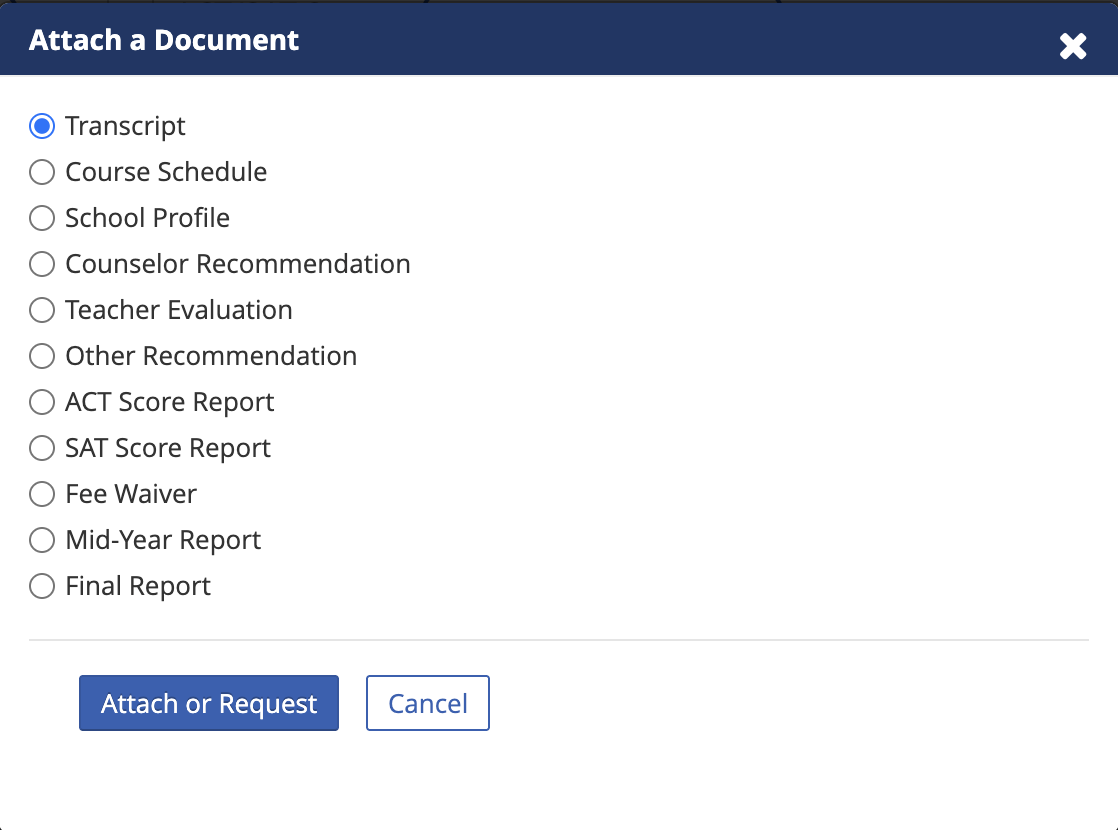
In the popup window, select Transcript and then Attach or Request.
Tracking Your Request
To check the status of your request, go to a college's Application Center and scroll down to Application Documents. From there, you'll be able to see if your transcript and other documents have been sent to colleges.

Was this article helpful?
That’s Great!
Thank you for your feedback
Sorry! We couldn't be helpful
Thank you for your feedback
Feedback sent
We appreciate your effort and will try to fix the article