From your Student List view, select FRNYC KIMs -> Student List
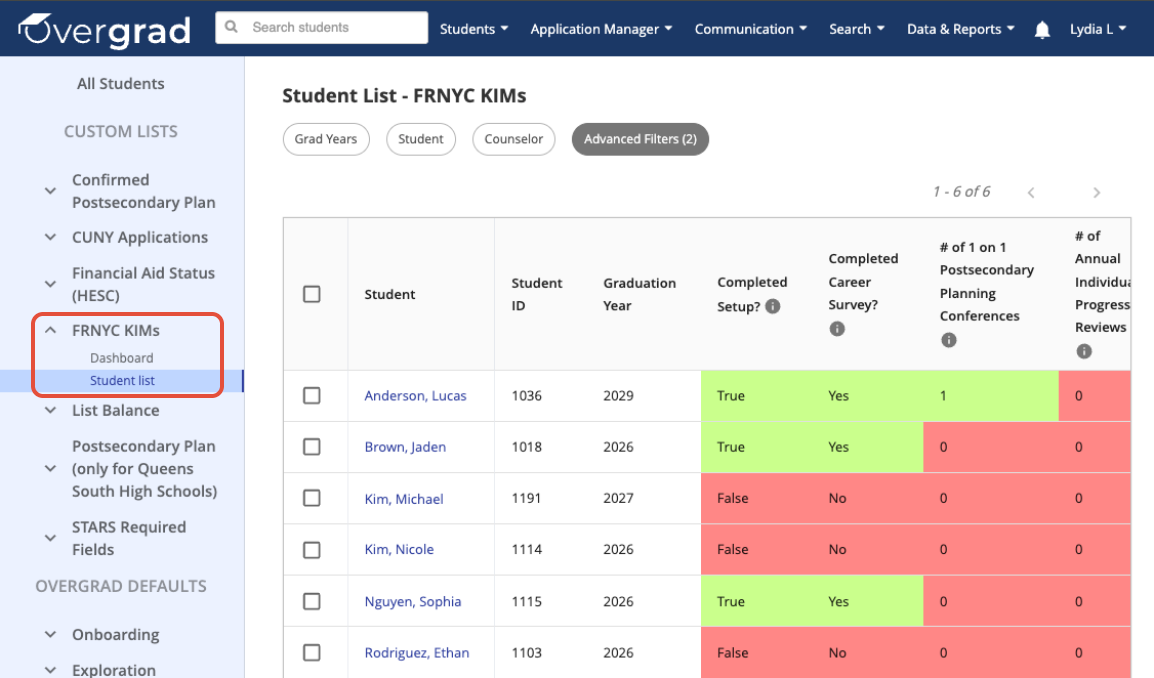 Look towards the column titled Completed Career Survey?. Clicking on the column title will re-sort students.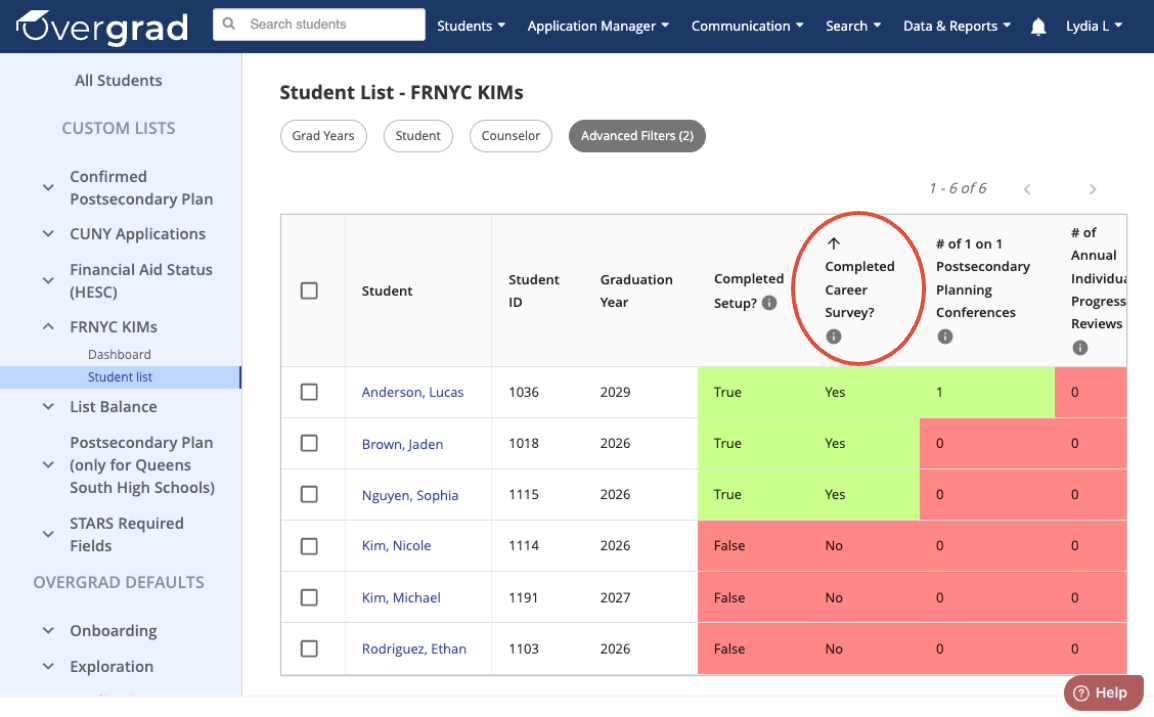
Apply an Advanced Filter to narrow down data by Career Survey completion status.
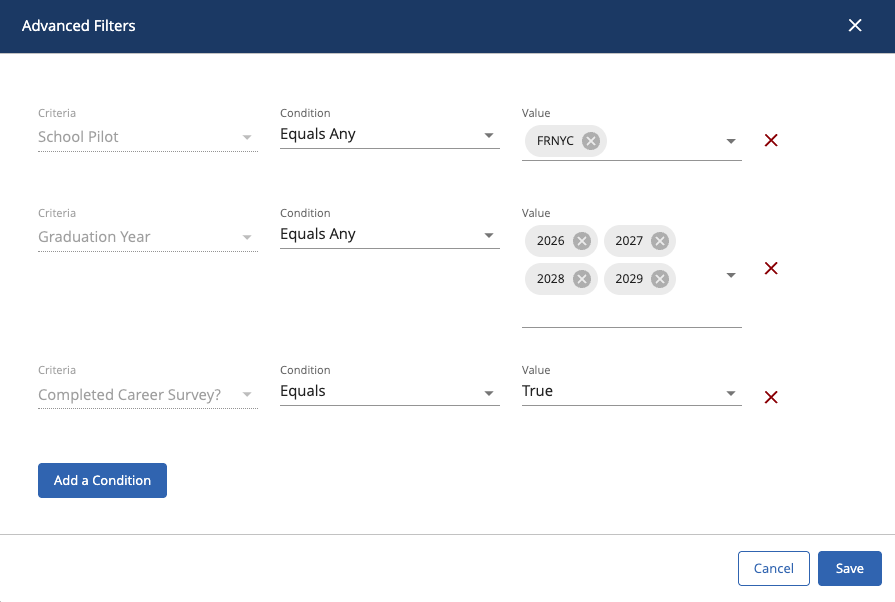
Click Advanced Filters.
Click Add a Condition.
For Criteria, type “Completed Career Survey?”
For Condition, select “Equals”
If you only want to show students who HAVE completed the survey, select "True" for Value. If you only want to show students who HAVE NOT completed the survey, select "False" for Value.
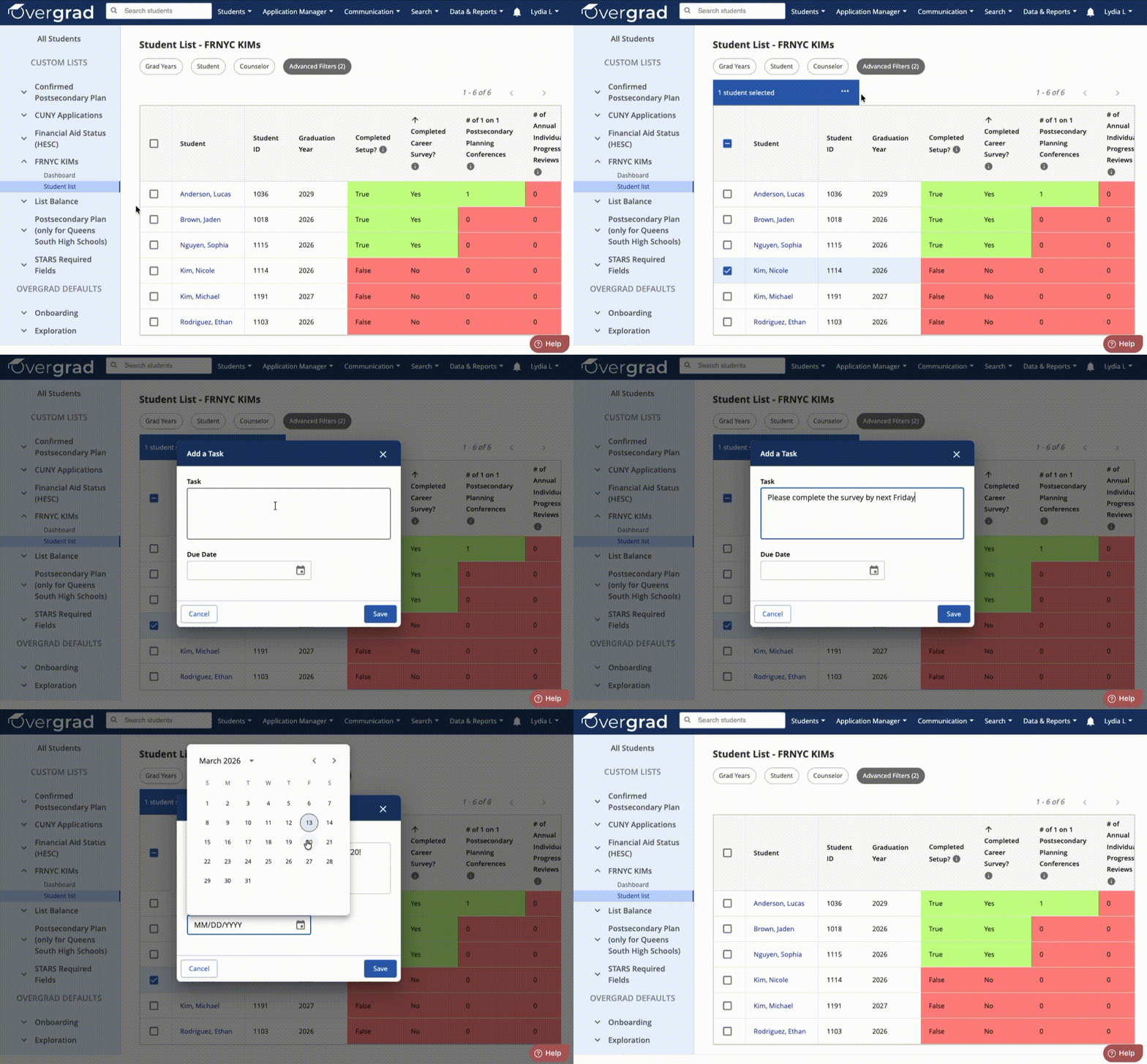
Select the checkbox next to students' names in order to Add a Note, Assign a Task, or Send a Message.
Was this article helpful?
That’s Great!
Thank you for your feedback
Sorry! We couldn't be helpful
Thank you for your feedback
Feedback sent
We appreciate your effort and will try to fix the article