This feature is currently only available to NYC public schools.
Overview
When a student logs a work-based learning (WBL) activity, it needs counselor verification before it's complete for STARS reporting. There's no separate "verify" tool — verification happens by editing the activity and saving it with the required STARS fields filled in.
TABLE OF CONTENTS
- Notifications
- Finding Activities to Verify
- Verifying an Activity
- Re-Editing a Verified Activity
- Prior-Year Activities
- STARS Export
- Quick Reference: Required vs. Optional Fields
Notifications
By default, you'll get an email whenever a student you work with (or, if you don't have assigned students, any student at your school) adds a WBL activity that needs verification. You can change this to a daily digest, weekly digest, or turn it off entirely from My Account → Notifications.
Note: There is currently no central, cross-student "needs verification" queue. You review WBL activities per student, from that student's Activities tab.
Finding Activities to Verify
Open a student's Activities tab. Any WBL activities awaiting review show an amber "Work-Based Learning" tag and "Counselor verification required."

Verifying an Activity
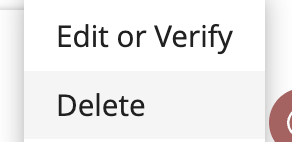
- Click the menu (⋯) on the activity card.
- Select Edit or Verify.
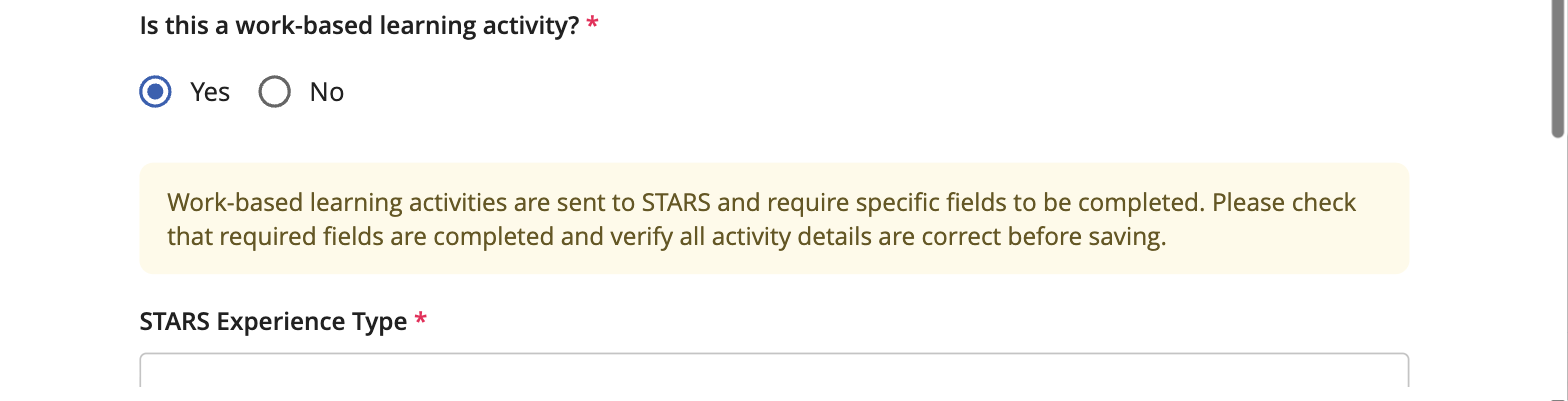
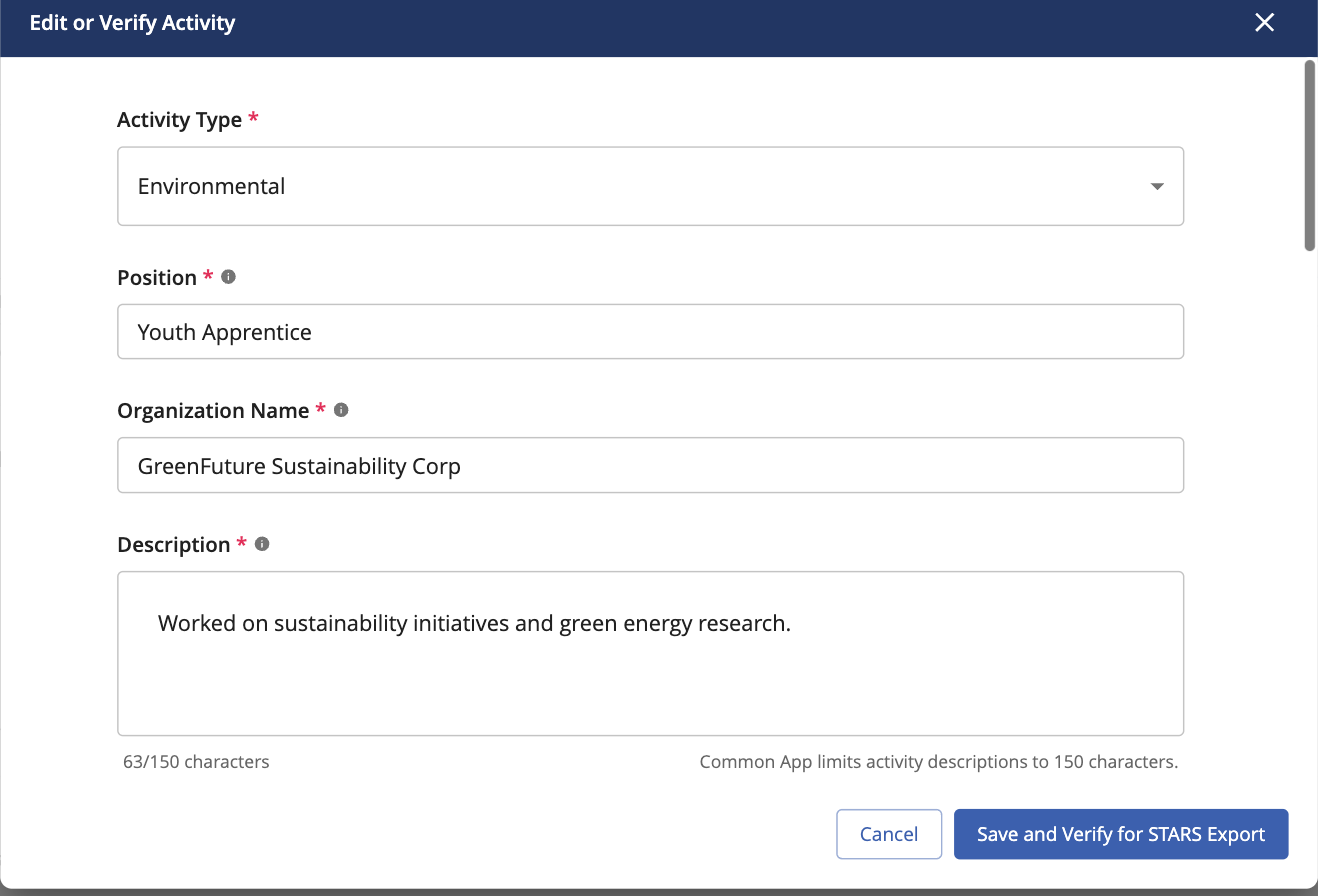 In the dialog, fill in the additional STARS fields that appear:
- STARS Experience Type (required)
- Type of WBL Activity (required)
- Organization Type (required)
- Industry Name (required)
- Program Provider (required)
- If Paid, Who? (optional)
- Position, Organization Name, Description, and Total Hours also become required at this point.
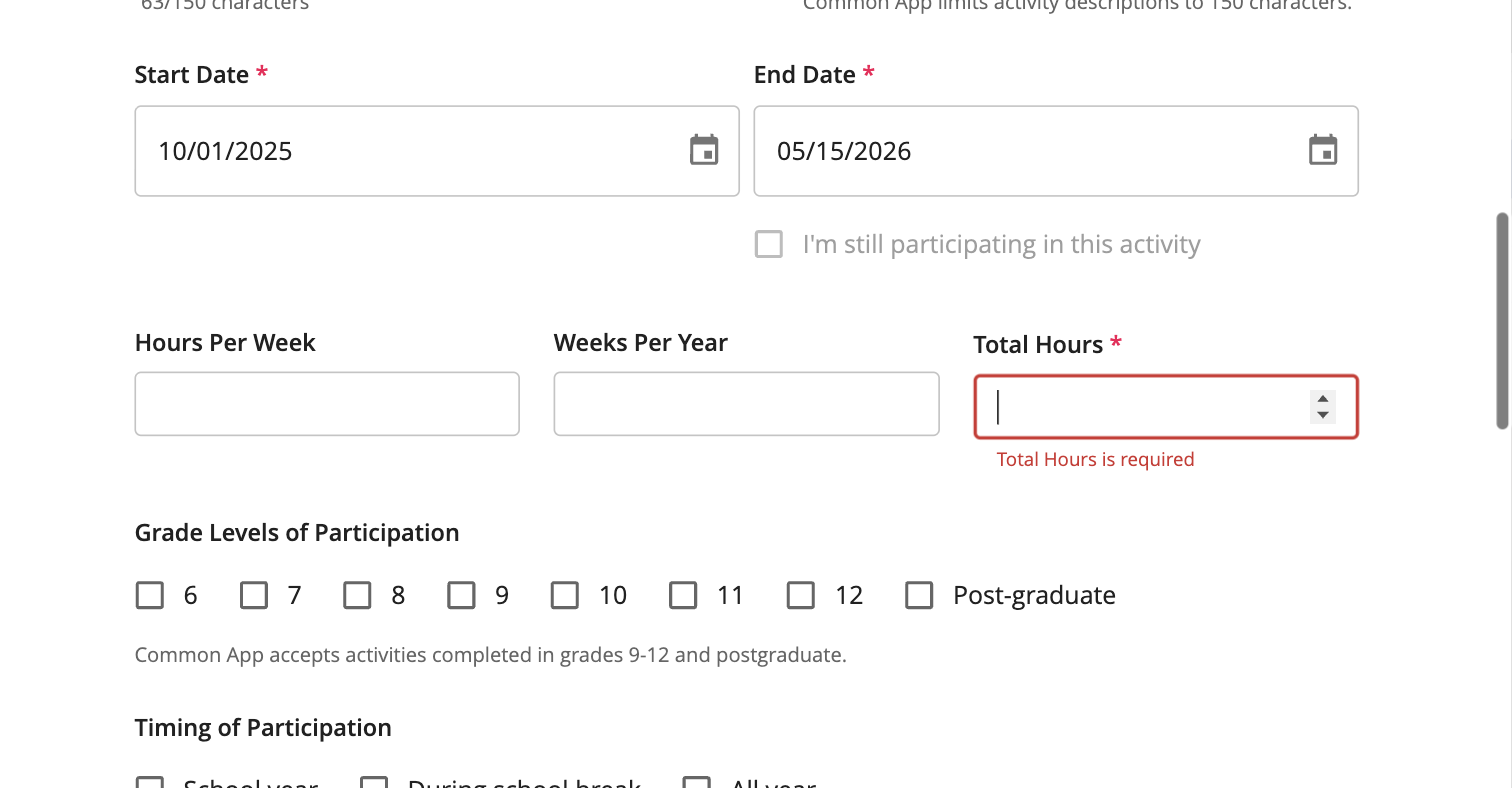
- Click Save and Verify for STARS Export.
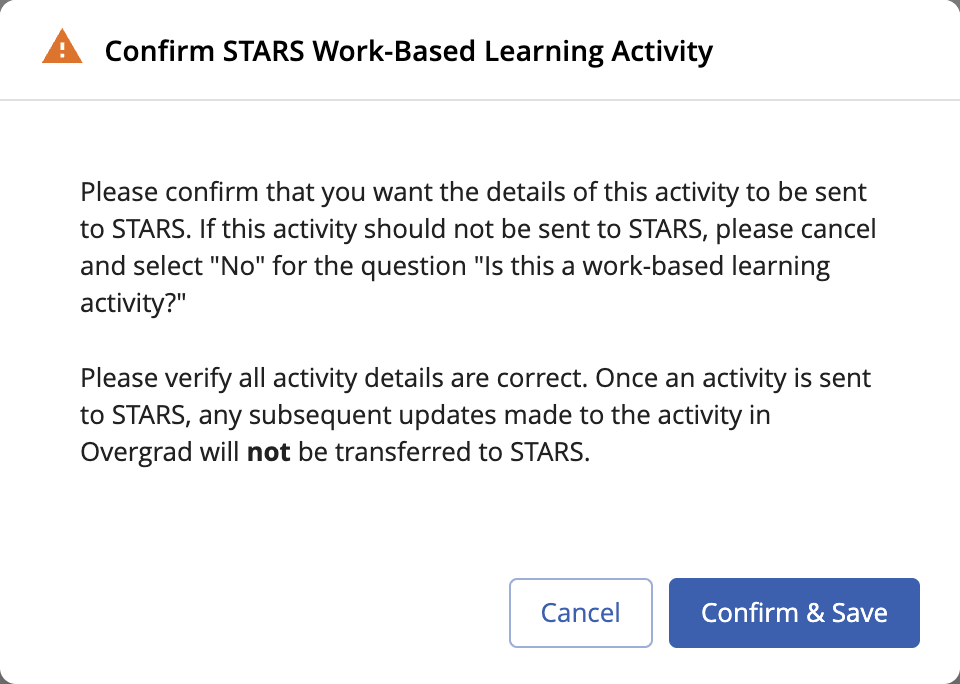
Saving stamps the activity with your name and a timestamp as the verifier, and locks it from further student edits.

Re-Editing a Verified Activity
Saving a verified activity again re-verifies it — the verifier name and timestamp will update to reflect the new save.
Note: Before you re-save, a confirmation dialog reminds you that edits made after an activity has already been sent to STARS won't sync back. Double-check your changes before confirming.
Prior-Year Activities
Activities that ended before the start of the current school year (school years run September 1–August 31) are exempt from verification. They can't be verified through Overgrad and are excluded from the STARS export. If a past-year WBL experience needs to be reflected in STARS, it must be logged directly in the STARS portal.
STARS Export
Verified, current-year WBL activities are periodically compiled and sent to STARS as part of your school's reporting. This runs on a backend schedule — there is no export button in the product. Your role is simply to make sure activities are accurately verified before that export runs.
Quick Reference: Required vs. Optional Fields
| Field | Required to Verify? |
| STARS Experience Type | Required |
| Type of WBL Activity | Required |
| Organization Type | Required |
| Industry Name | Required |
| Program Provider | Required |
| Position | Required |
| Organization Name | Required |
| Description | Required |
| Total Hours | Required |
| If Paid, Who? | Optional |
If you require additional support or have more questions, please reach out to support@overgrad.com.
Was this article helpful?
That’s Great!
Thank you for your feedback
Sorry! We couldn't be helpful
Thank you for your feedback
Feedback sent
We appreciate your effort and will try to fix the article