The Career Survey helps you discover careers that match your interests. You'll see 60 everyday activities and tell us whether you'd Like or Dislike doing each one. When you finish, Overgrad shows you a list of careers that fit your interests. You can follow the ones you want to come back to.
TABLE OF CONTENTS
- Step 1: Open the Career Survey
- Step 2: Start the survey
- Step 3: Answer the questions
- Step 4: Explore your results
- Step 5: Follow the careers you like
- Step 6: Retake the survey and see past results
Step 1: Open the Career Survey
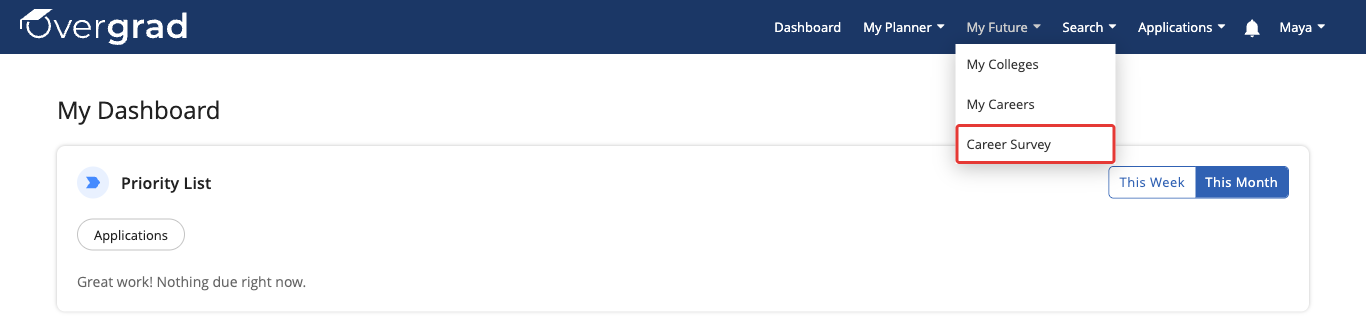
In the menu at the top of Overgrad, click My Future, then click Career Survey.
Step 2: Start the survey
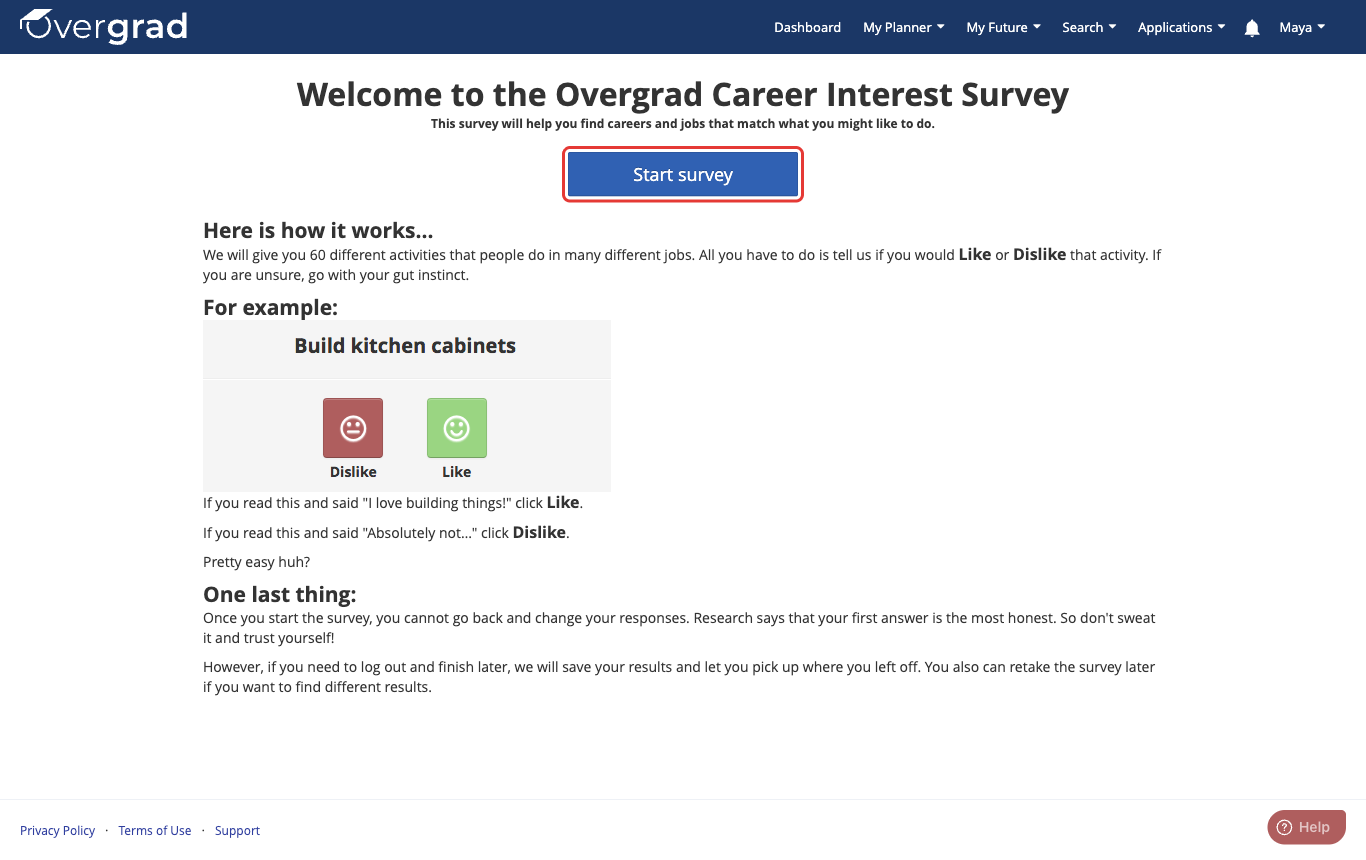
Read the quick overview of how the survey works, then click Start survey.
Step 3: Answer the questions
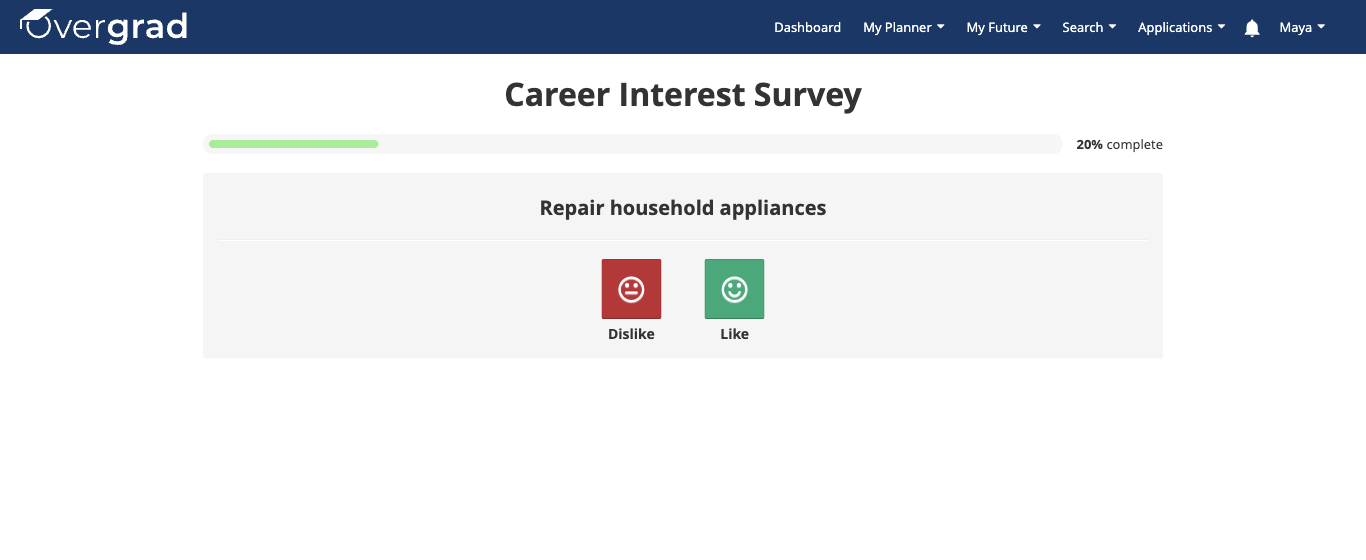
Each screen shows one activity. Click Like if it sounds like something you'd enjoy, or Dislike if it doesn't. If you're not sure, go with your gut instinct. The next activity appears as soon as you answer, and the bar at the top shows how far along you are.
Once you answer a question, you can't go back and change it. That's okay. Your first answer is usually the most honest one!
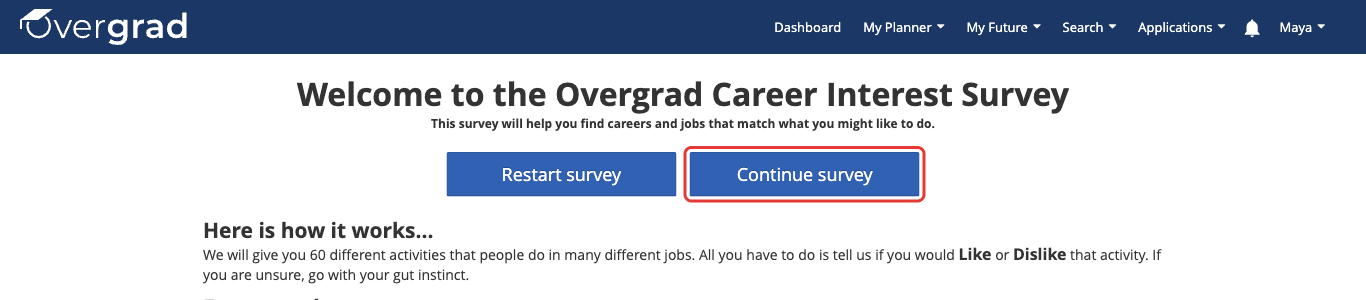
Need to take a break? Your answers are saved as you go, so you can log out and finish later. When you're ready, go to My Future > Career Survey and click Continue survey to pick up where you left off. (Clicking Restart survey erases your answers and starts over from question 1.)
Step 4: Explore your results
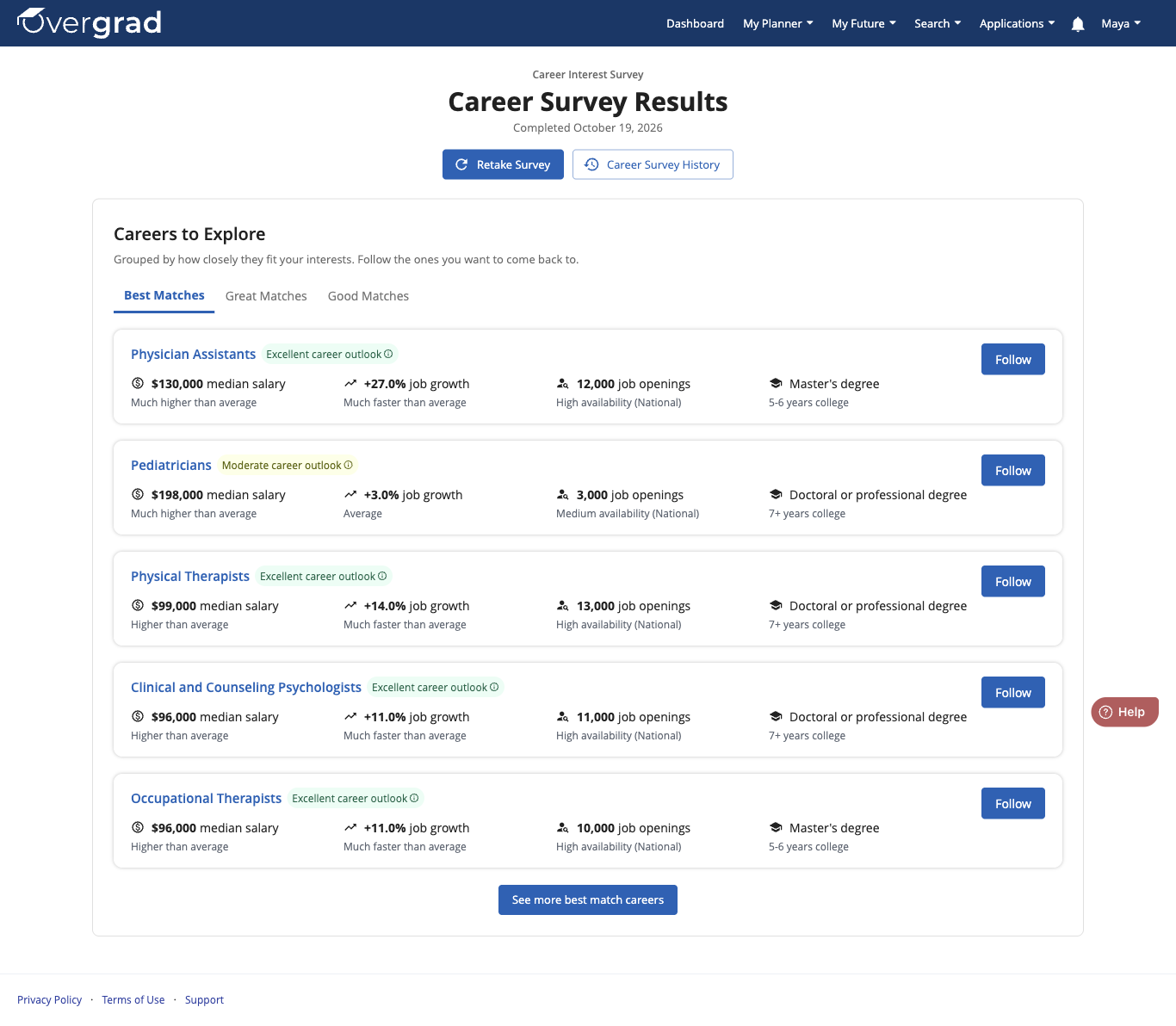
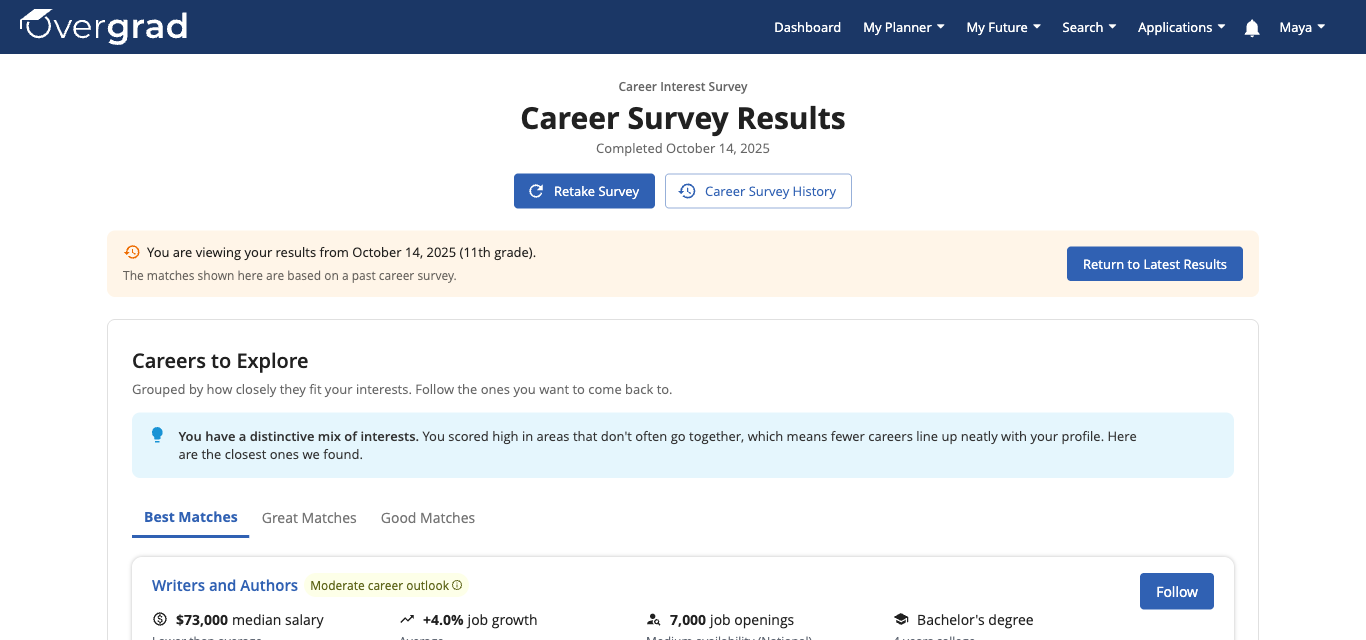
When you answer the last question, your Career Survey Results page opens automatically. Under Careers to Explore, your career matches are grouped into three tabs:
- Best Matches: careers that fit your interests most closely
- Great Matches: careers that are also a strong fit
- Good Matches: careers that share some of your interests
Each career shows its median salary, job growth, number of job openings, and the education you'd typically need. Click See more best match careers at the bottom to see more careers in a group. Click any career's name to learn more about it.
Step 5: Follow the careers you like
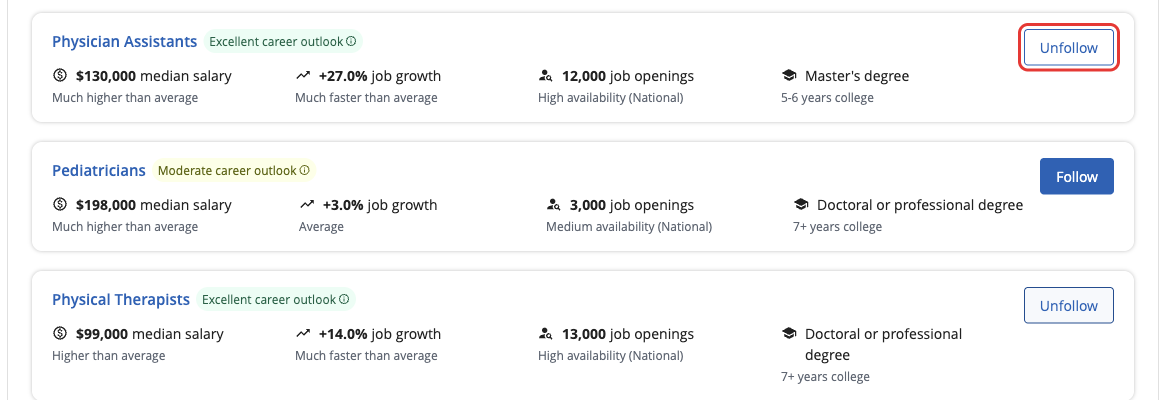
When a career looks interesting, click Follow. The button changes to Unfollow, which means the career is saved to your profile.
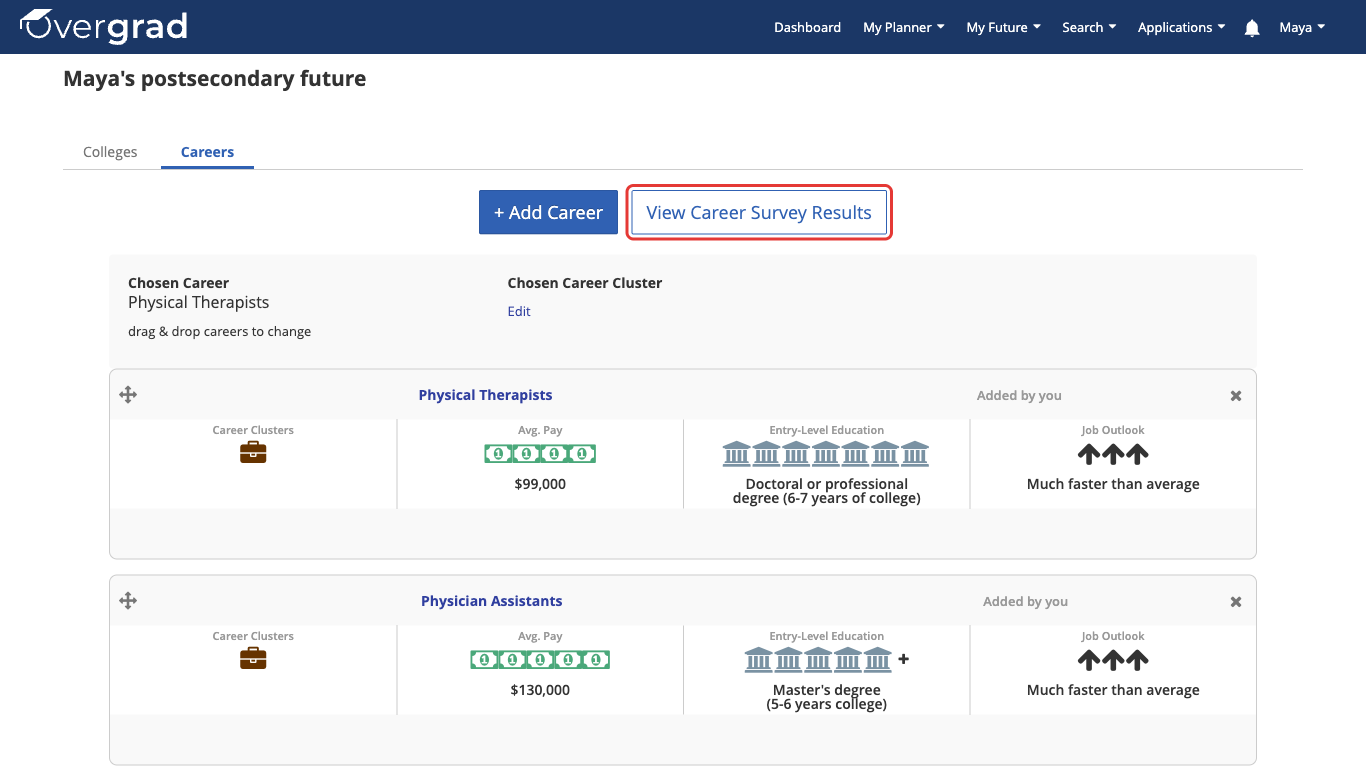
To see all the careers you're following, go to My Future > My Careers. From there you can also click View Career Survey Results to jump back to your results.
To learn more about following careers, including how to find and follow careers that weren't in your survey results, read this article.
Step 6: Retake the survey and see past results
Your interests can change over time, so you can retake the survey whenever you like. On your results page, click Retake Survey. Your earlier results won't be deleted.
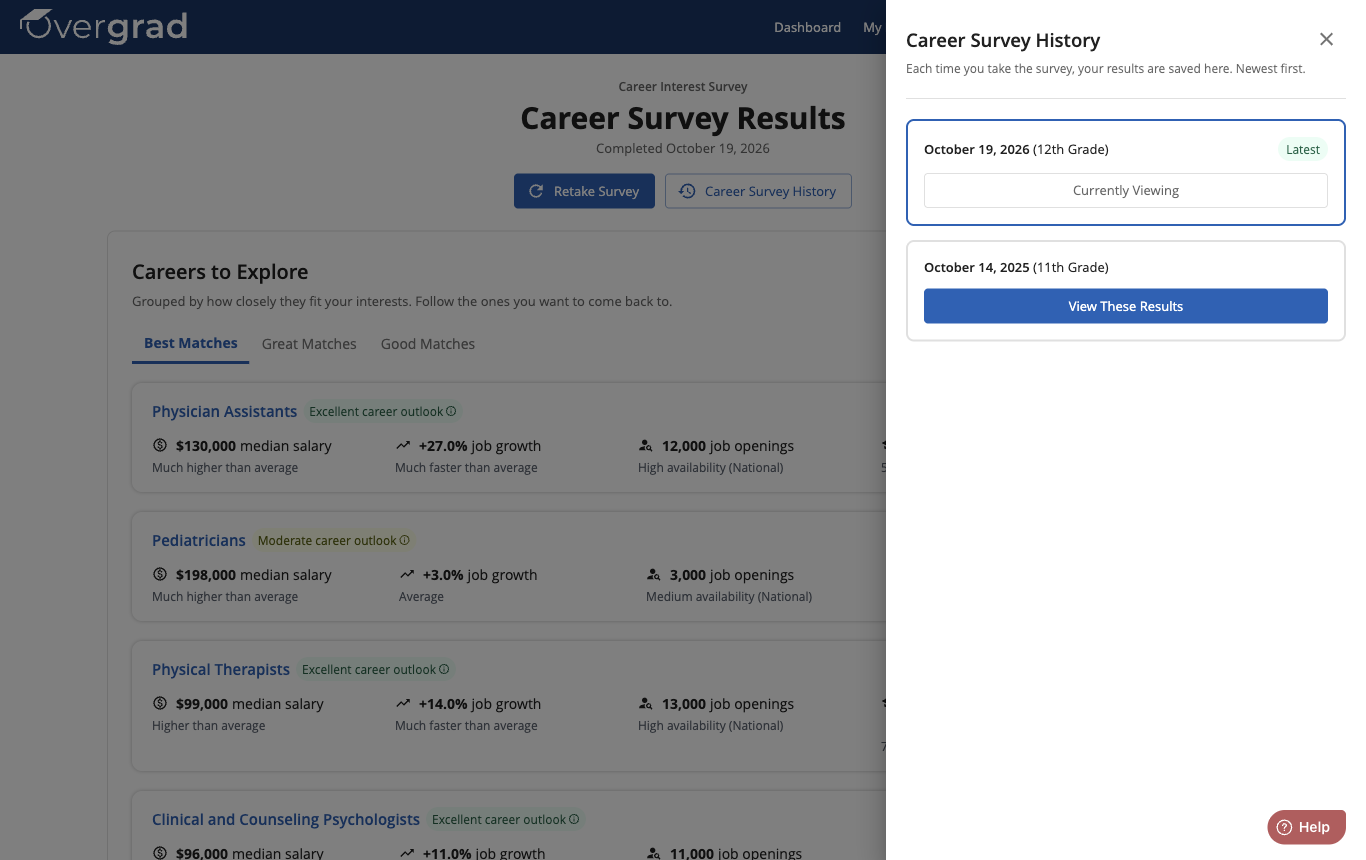
To look at results from an earlier survey, click Career Survey History.

A panel opens with every survey you've taken, newest first, along with the date and your grade at the time. Your most recent survey is labeled Latest. Click View These Results on any survey to see its results.
When you're looking at an older survey, a banner at the top reminds you which survey you're viewing. Click Return to Latest Results to go back to your newest results.
Was this article helpful?
That’s Great!
Thank you for your feedback
Sorry! We couldn't be helpful
Thank you for your feedback
Feedback sent
We appreciate your effort and will try to fix the article