Many of these features are only available for Overgrad Pro customers, and some are only available to those with AI Features enabled. Please connect with an Overgrad rep if you are interested in learning more.
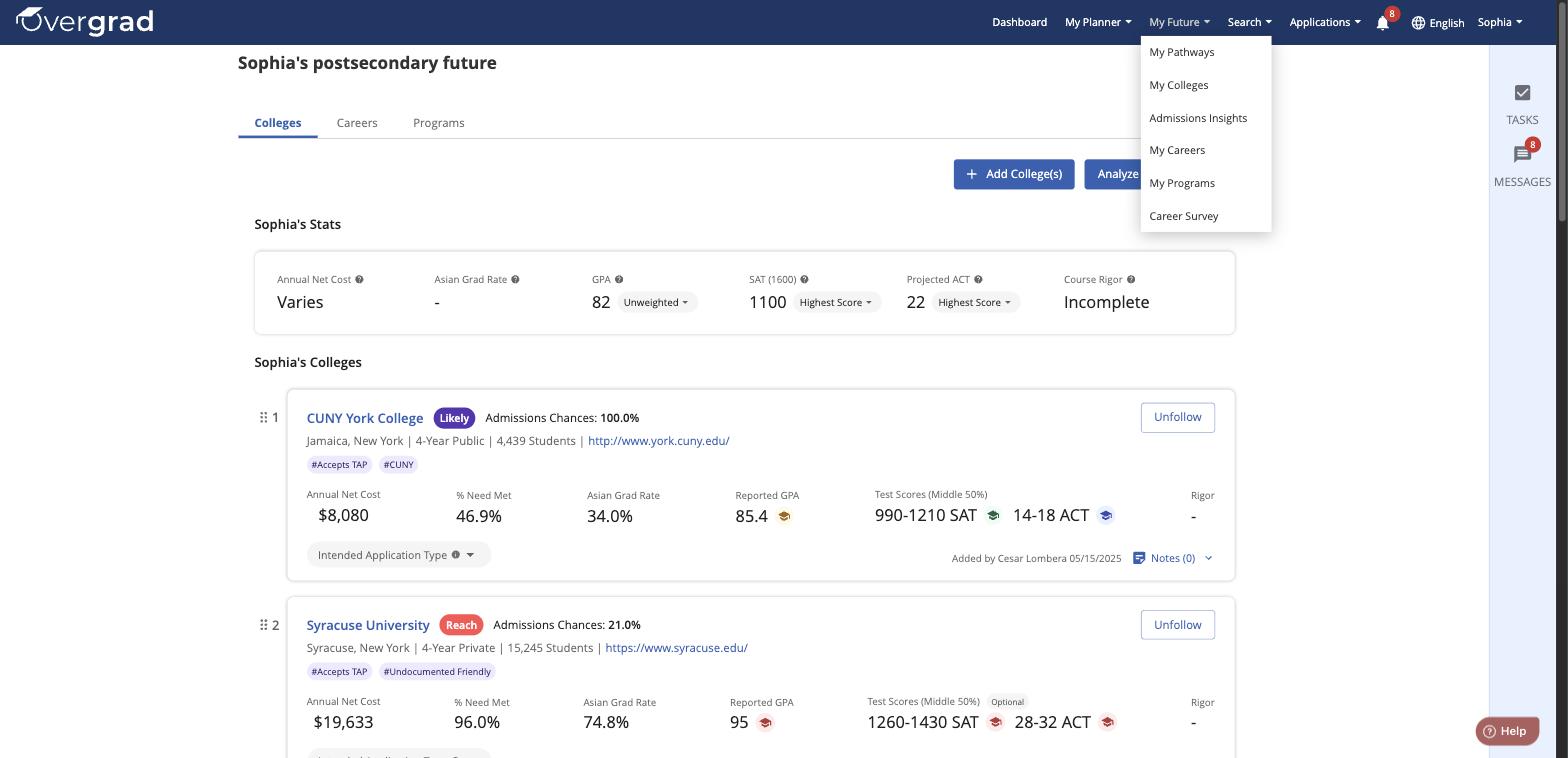
The My Future tool is one of the most important and essential tools on Overgrad. This is where students store and track their progress toward their college, career, and program goals. To access My Future, click the My Future tab on the header toolbar.
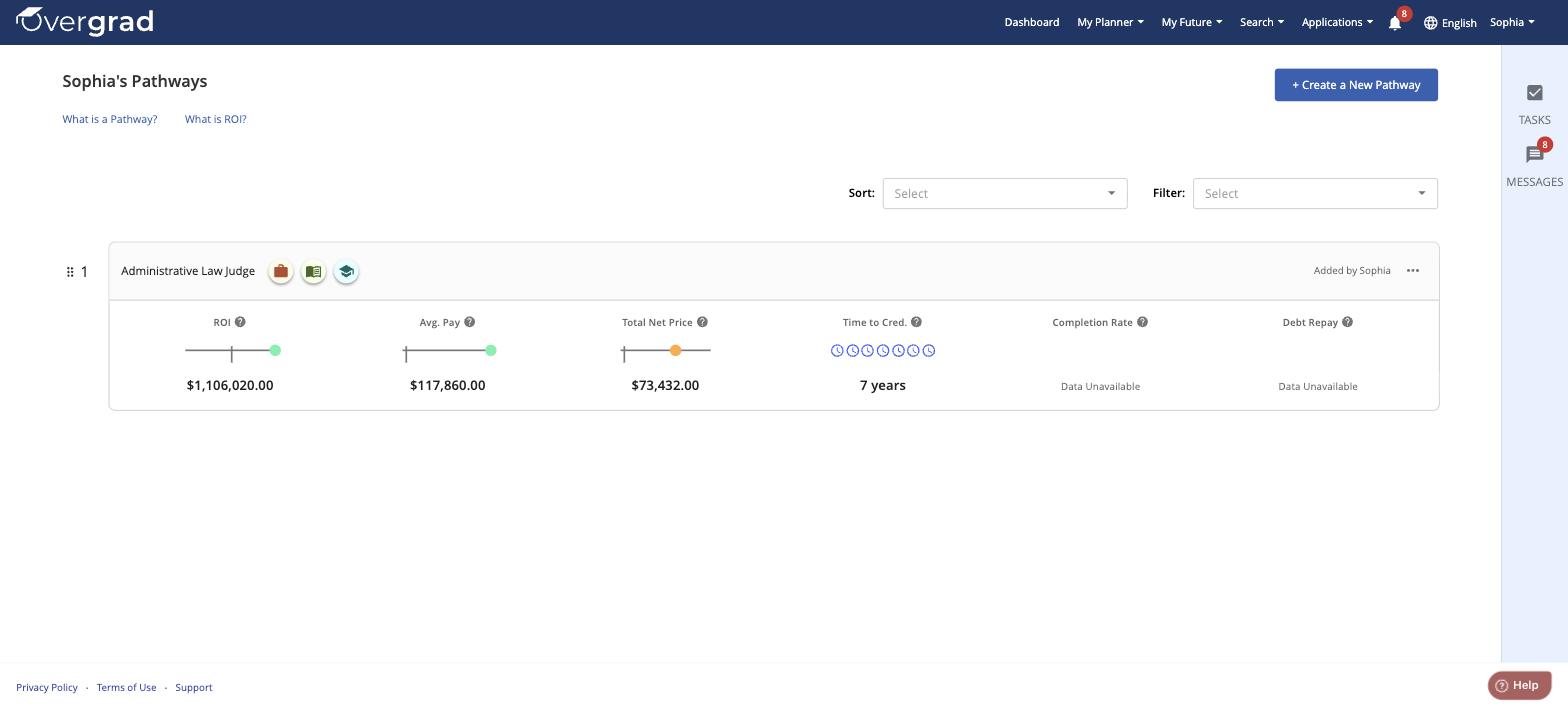
My Pathways
A Pathway combines a career, major, and school into one view so you can compare potential return on investment (ROI), average pay, total net price, time to credential, completion rate, and debt repayment for that combination. Click "+ Create a New Pathway" to build your own.
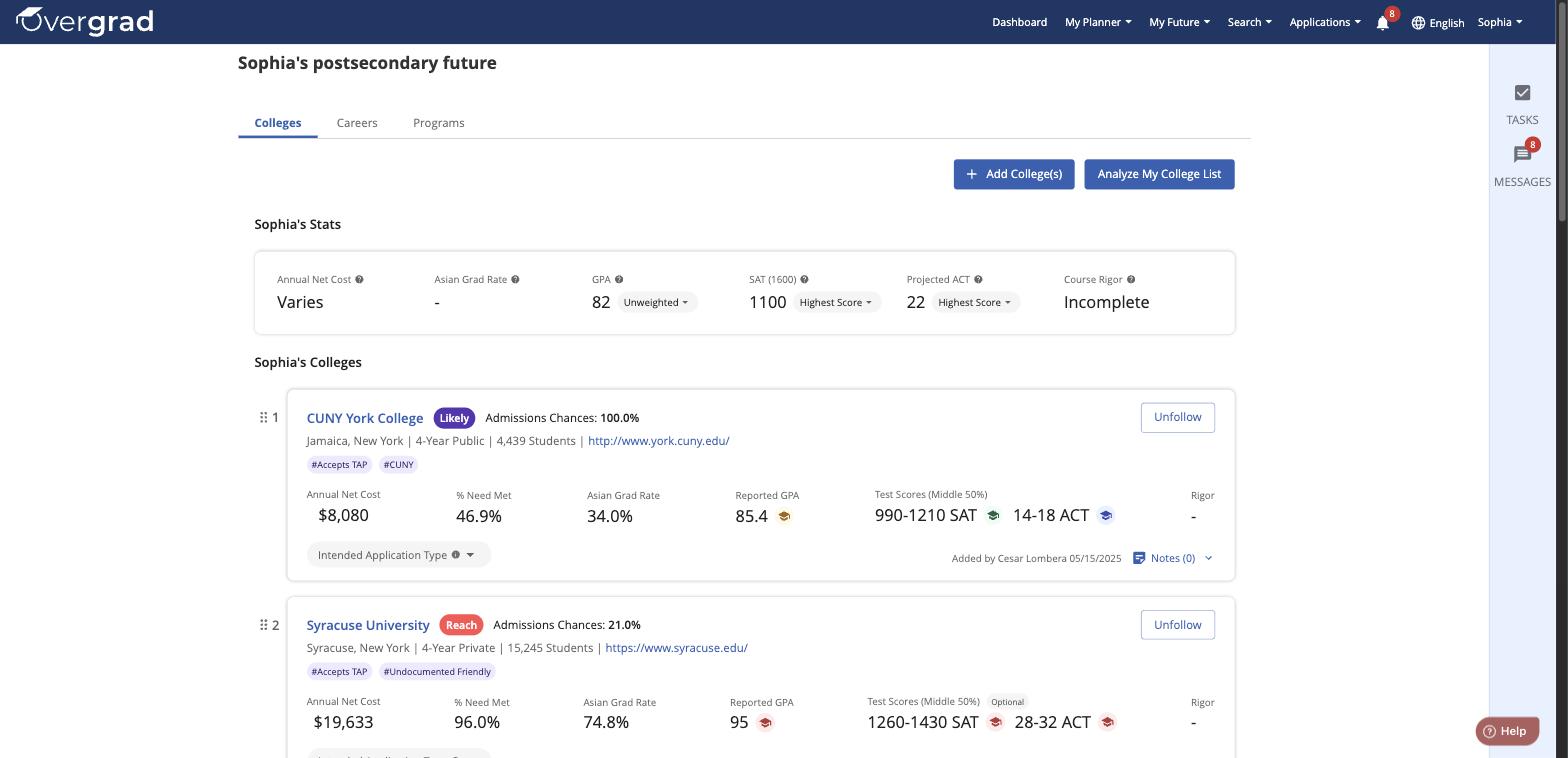
My Colleges
View a list of the colleges you're following, along with your admissions chances, net cost, and how your stats compare to each school's averages using the colored graduation cap icons.
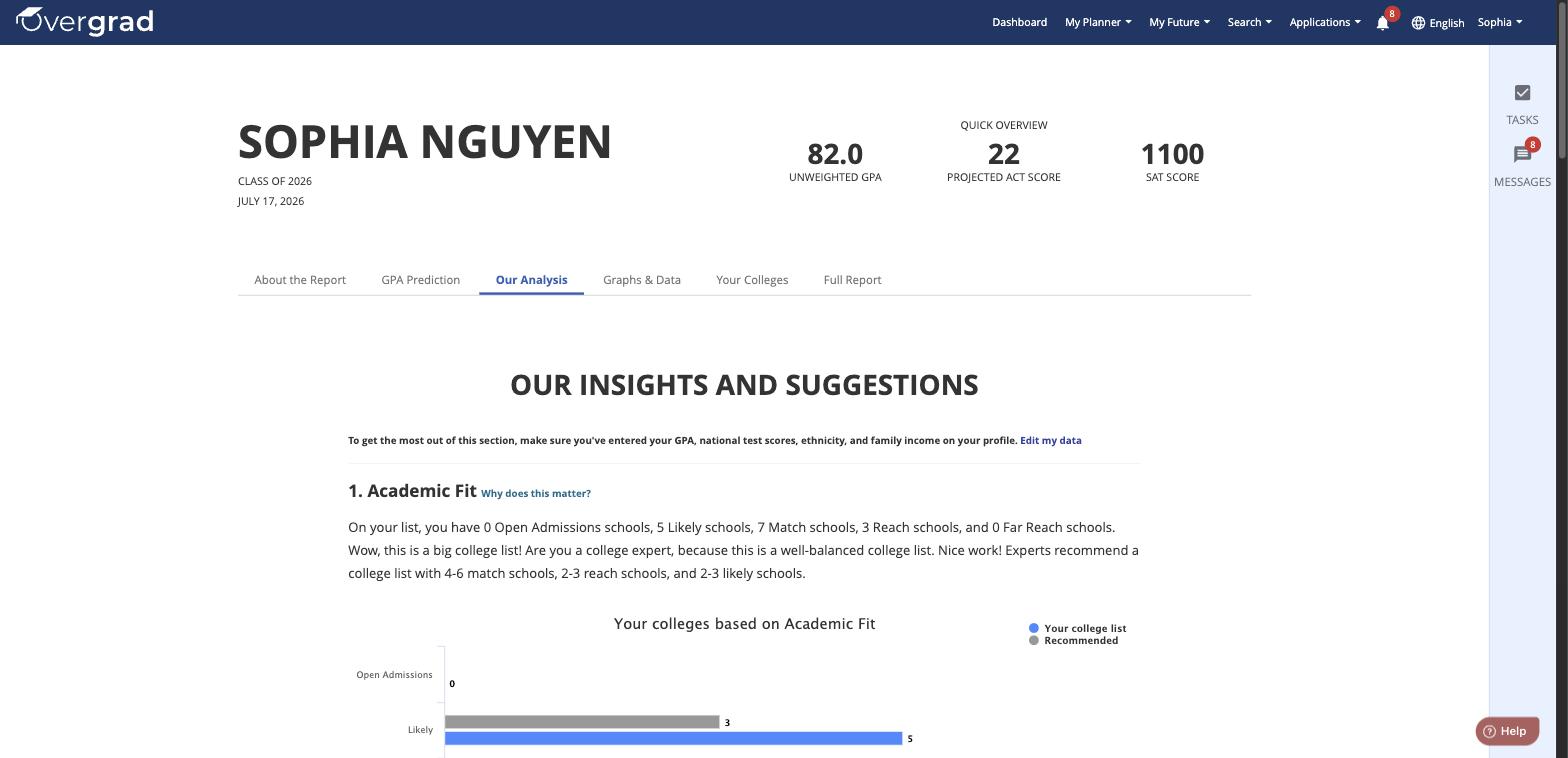
Admissions Insights
See a personalized analysis of your college list based on your academic profile, including breakdowns by admissions chance category (Likely, Match, Reach, etc.) and suggestions for building a balanced list.
My Careers
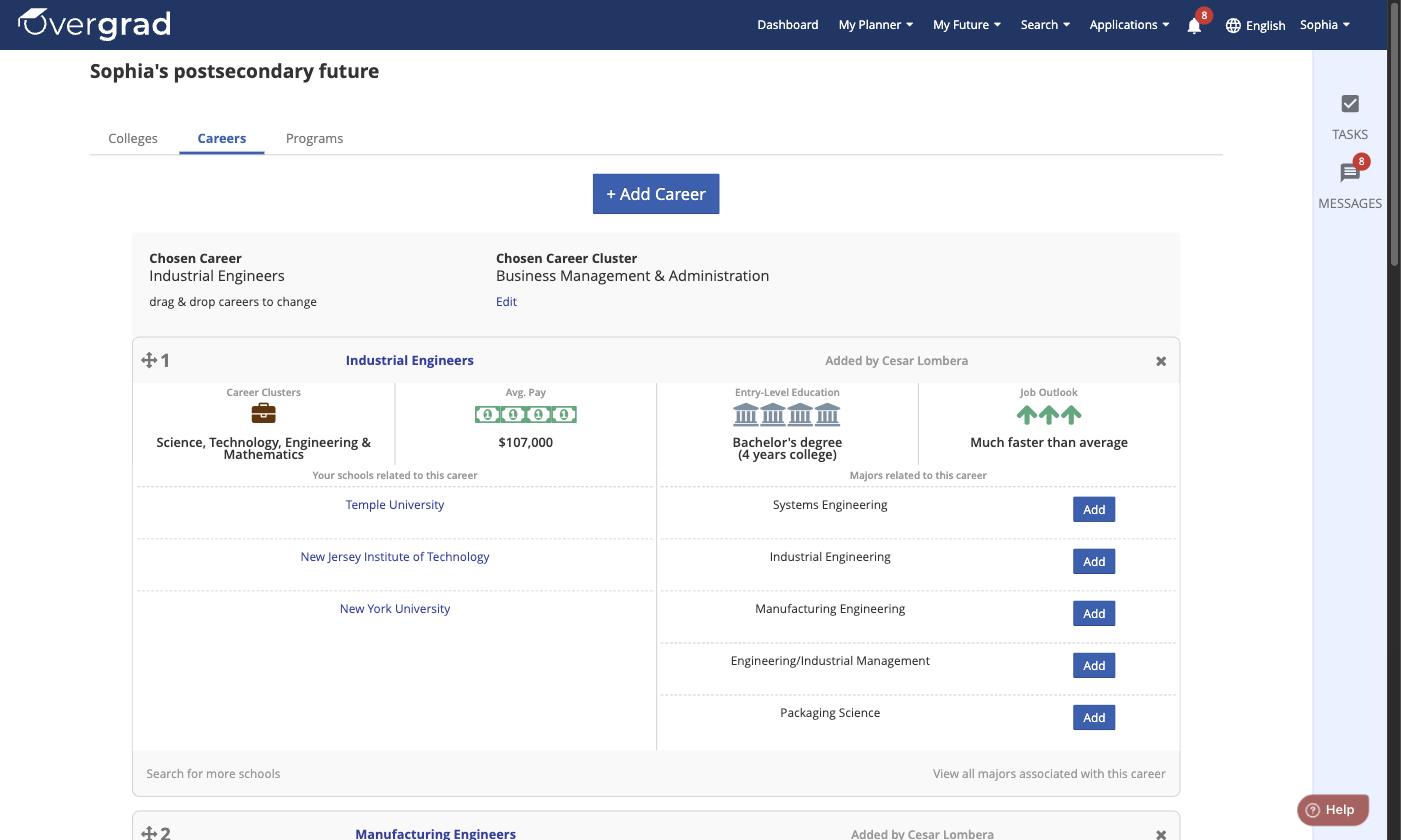
View and rank the careers you're following, along with related schools and majors for each one.
My Programs
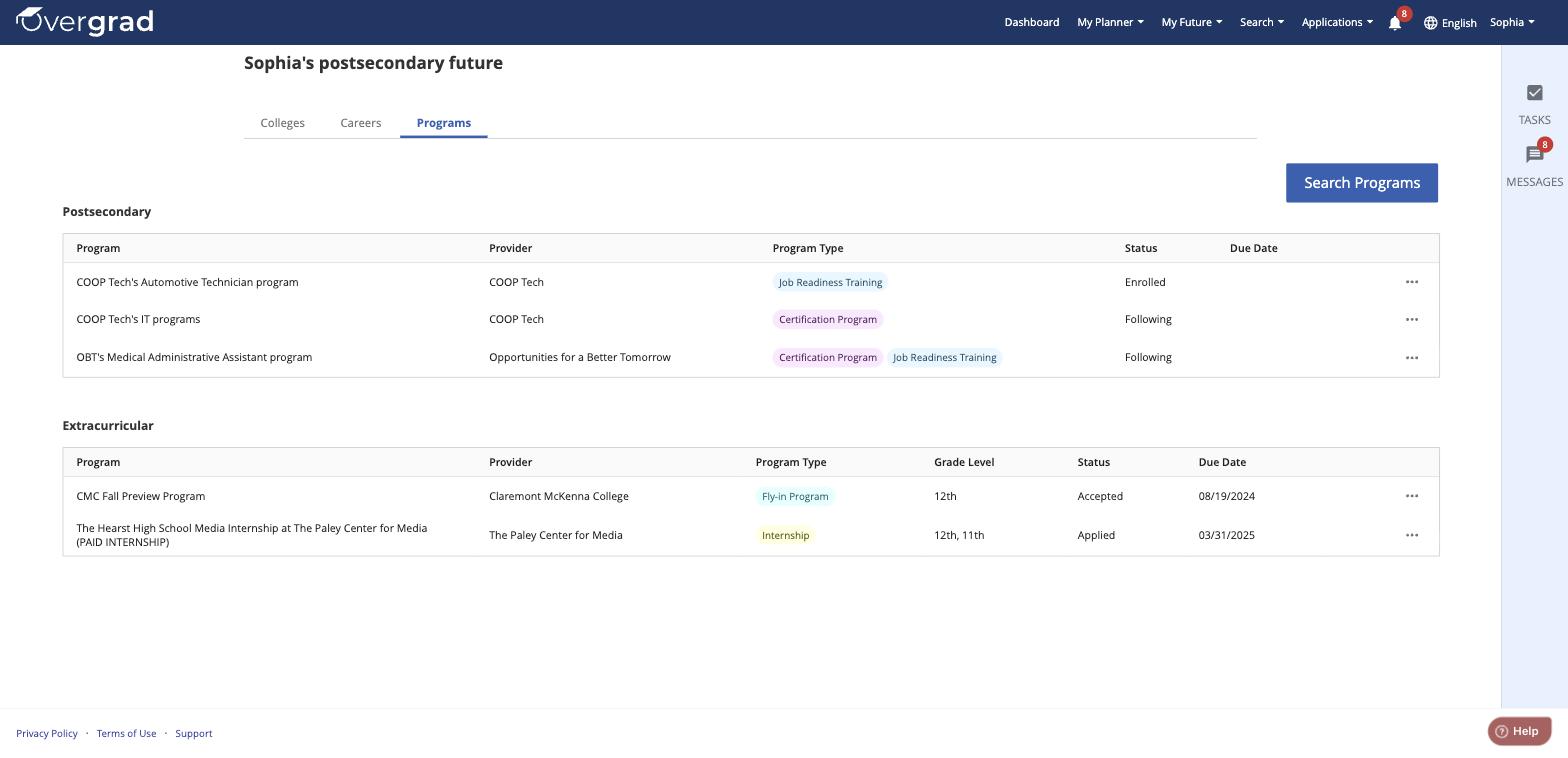
Track postsecondary programs (like certifications or job training) and extracurricular programs (like internships or fly-in programs) you're following or have applied to, including status and due dates.
Career Survey
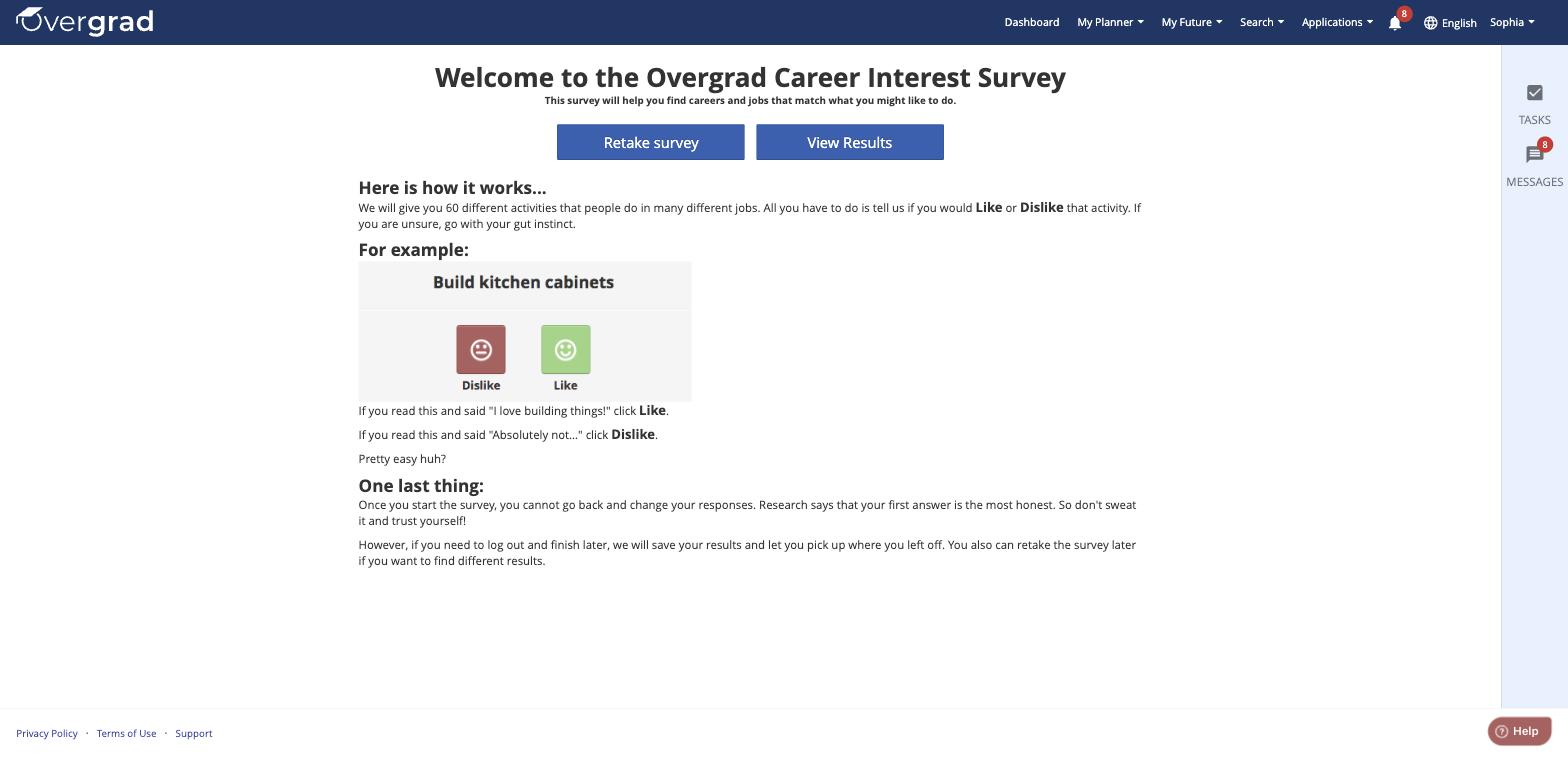
Take the Overgrad Career Interest Survey to discover careers that match your interests, or view your previous results.
Discover Careers
The Career Discovery tool will guide you through a set of questions and experiences to identify your career exploration starting points.
Career Hub
Your Career Hub is your career exploration homebase. From here, you can navigate to your Compass, check in with Trek, or see other recommended careers for you to explore.
Was this article helpful?
That’s Great!
Thank you for your feedback
Sorry! We couldn't be helpful
Thank you for your feedback
Feedback sent
We appreciate your effort and will try to fix the article