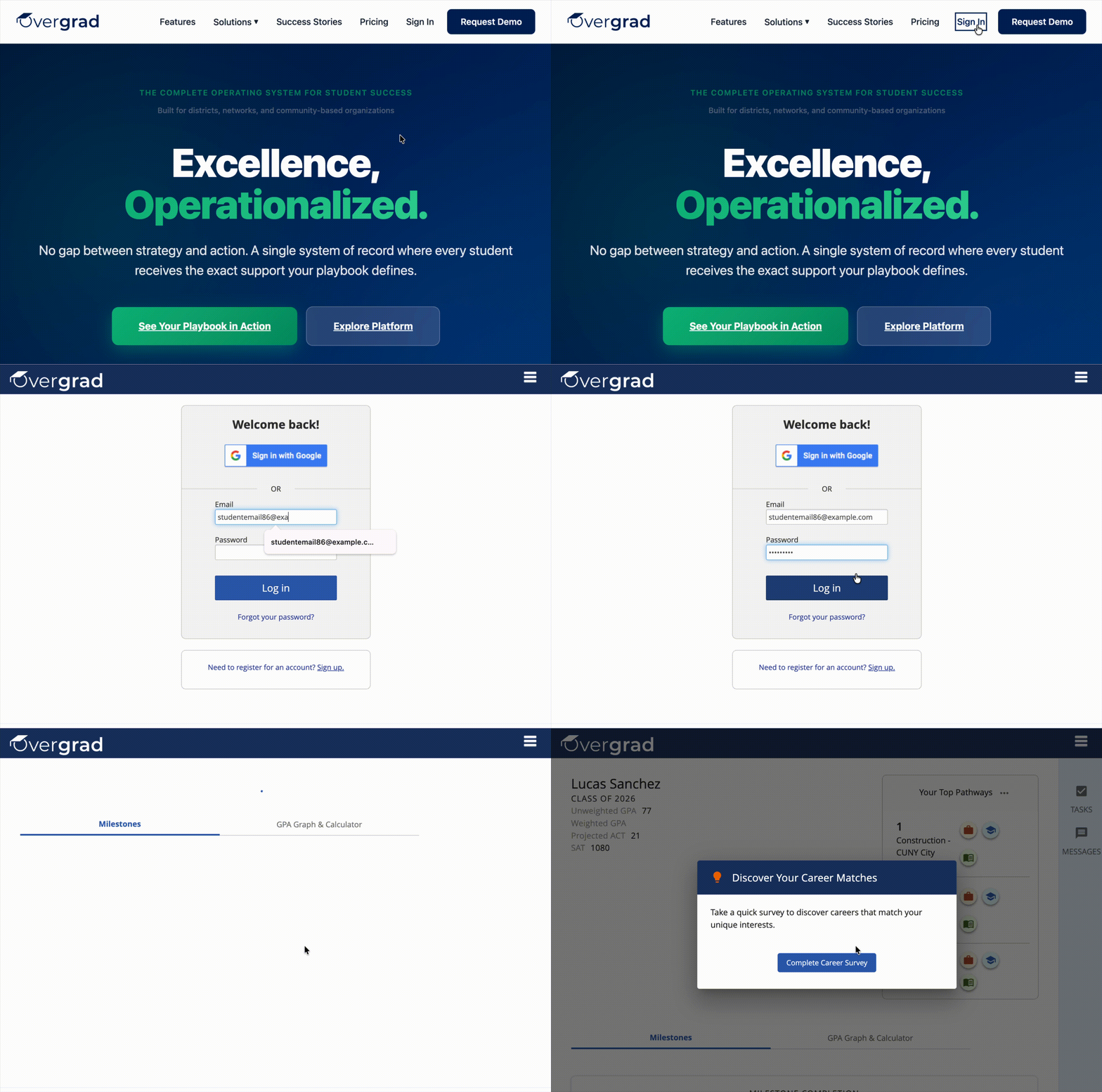
To log in to your Overgrad account:
1. Visit overgrad.com.
2. Click "Sign in" in the top.
3. Enter your email and password, and click "Log in."
*If you have already logged in before, you may be automatically logged in to your Overgrad account when you visit overgrad.com.
Was this article helpful?
That’s Great!
Thank you for your feedback
Sorry! We couldn't be helpful
Thank you for your feedback
Feedback sent
We appreciate your effort and will try to fix the article